AI Video Summary

Toolkit

Eighteen workflows on one recording

Upload audio or video. Each tool transcribes first, then produces a specific result with times you can check. Nothing is fetched from YouTube.

Edit & clean

Shorten or clean a recording before you share it. These tools return a new file, not only text.

Useful for Creators, teachers, anyone who records themselves

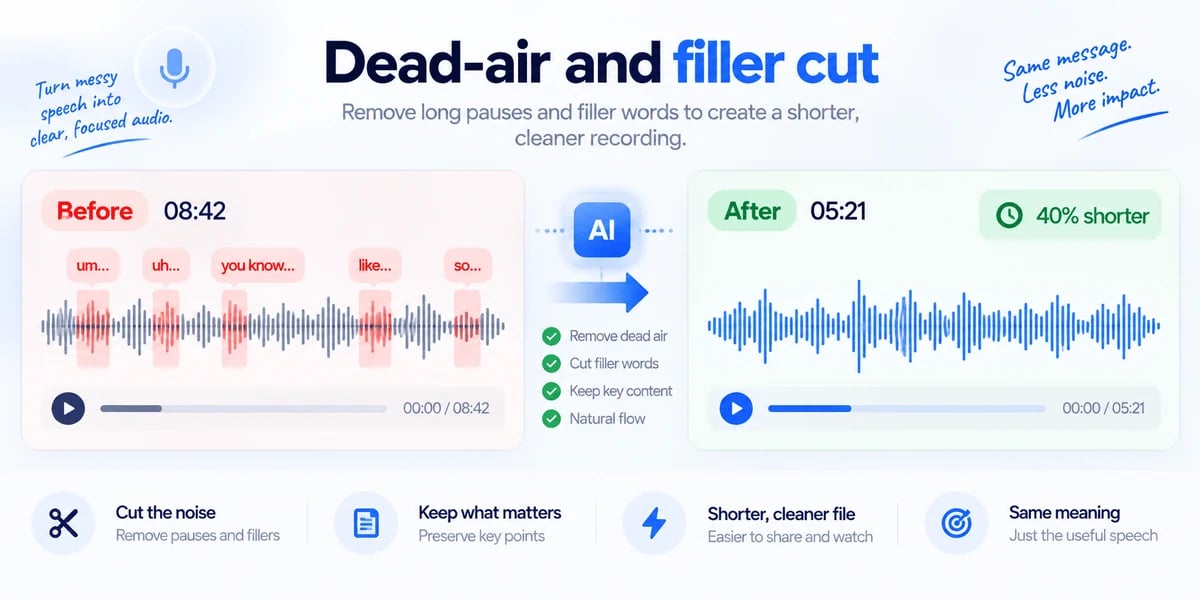
Long pauses and words like “um” make a recording hard to sit through. You upload the audio or video. We find the quiet stretches and those filler sounds, then build a shorter copy with the useful speech kept in order. You download the cleaned file and a simple list of what was removed. Example: a 20-minute talking-head video becomes a tighter cut you can send without opening an editor.

Open this tool

Useful for Parents, teachers, HR, publishers

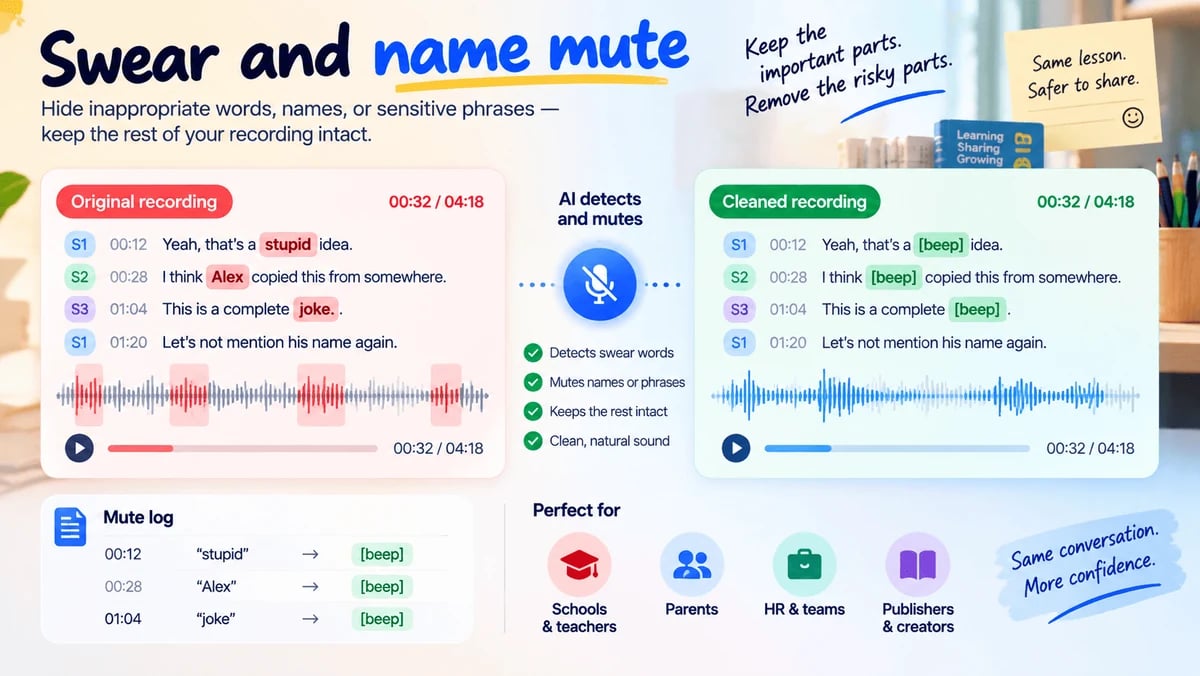
A recording may be useful except for a few words you cannot publish. You upload the file and, if you want, type names or phrases to hide. We mute or bleep those moments and leave the rest of the recording intact. You get a safer file plus a short log of what was silenced. Example: a classroom clip keeps the lesson and drops a student’s name before you share it with parents.

Open this tool

Useful for Managers and anyone short on time

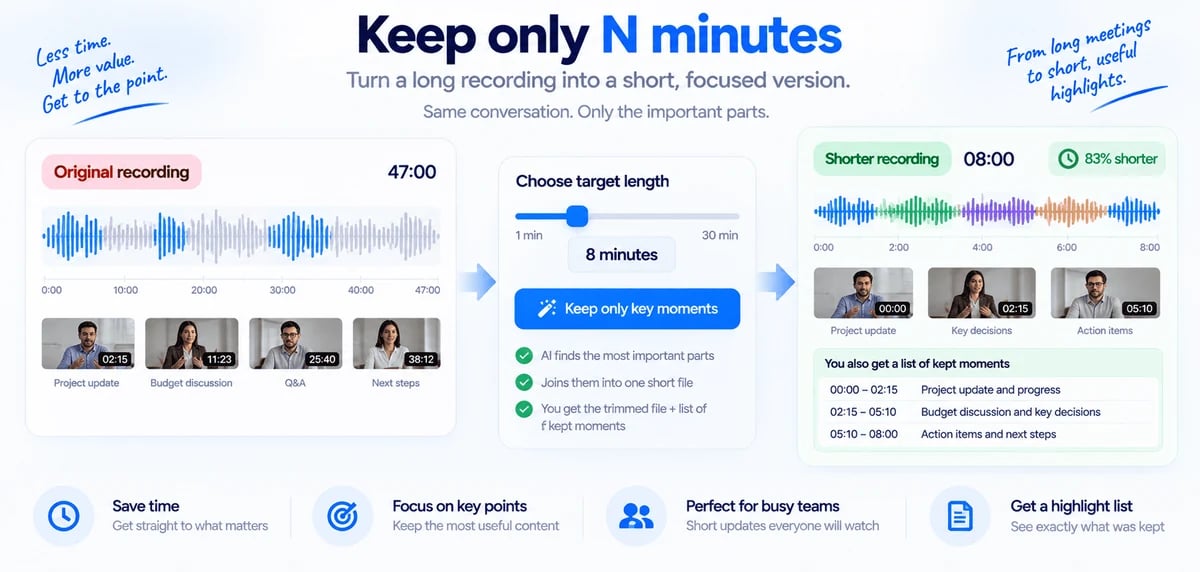
Sometimes you do not need the whole hour — you need the parts that actually matter. You upload the recording and choose a target length, such as eight minutes. We keep the strongest spoken stretches and join them into one shorter audio or video file. You receive that shorter file and a list of the moments that were kept. Example: a 47-minute update becomes an eight-minute briefing your team will actually play.

Open this tool

Useful for Anyone who cannot send the full recording

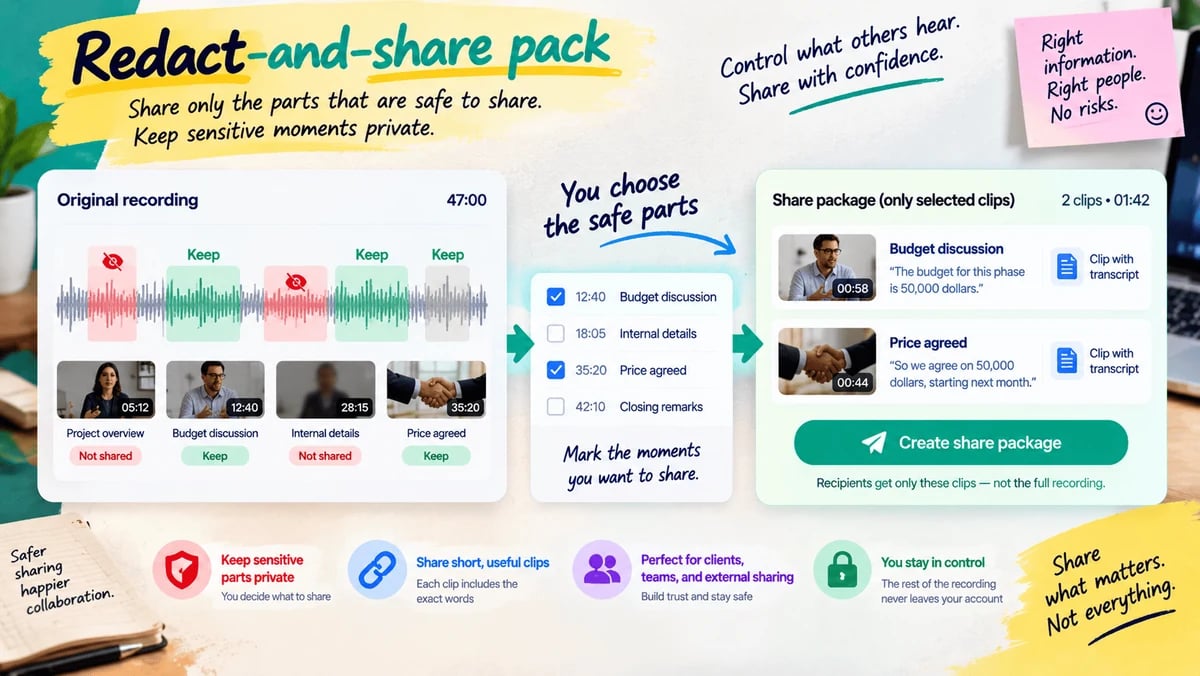
The full file may be too sensitive to forward. You upload the recording and mark the moments that are safe to show. We package only those short clips, each tied to the words that were said. Recipients hear the allowed parts and never receive the rest of the file. Example: you share the 20 seconds where a price was agreed, not the whole client call.

Open this tool

Proof & evidence

Turn speech into a record you can check. Every important line should point back to a time in the file.

Useful for Freelancers, agencies, buyers, founders

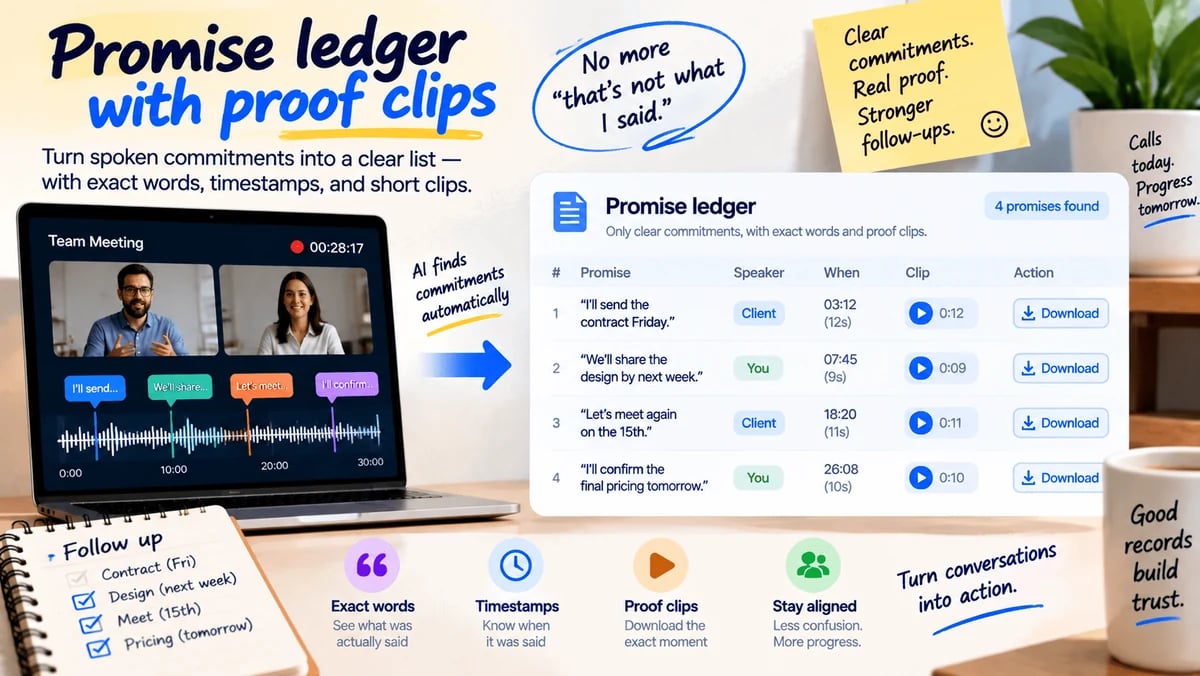
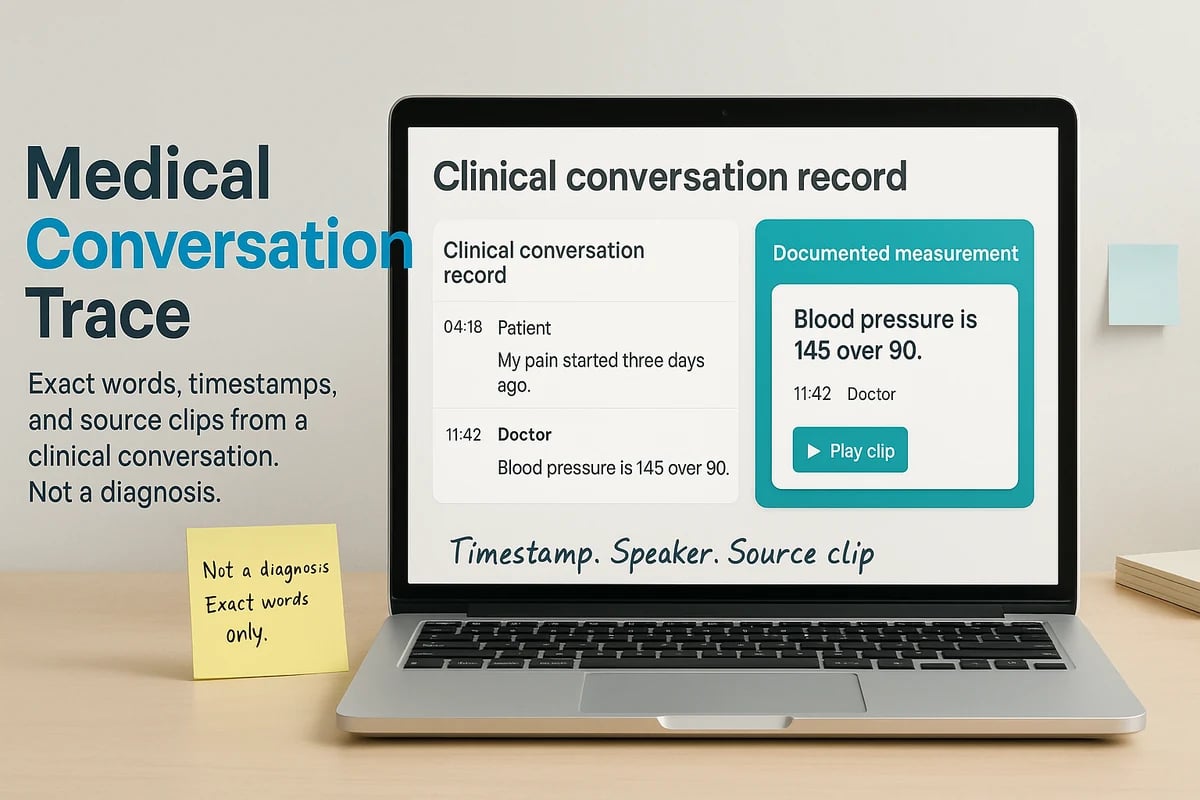
After a call, the argument is often “that is not what I said.” You upload the recording. We list only clear commitments — who would do what, and by when if a date was spoken — with the exact words and the time they were said. You can download a short clip for each promise. Example: “I’ll send the contract Friday” becomes a row you can paste into an email, with the 12 seconds attached.

Open this tool

Quote hunter

Available

Useful for Journalists, marketers, researchers

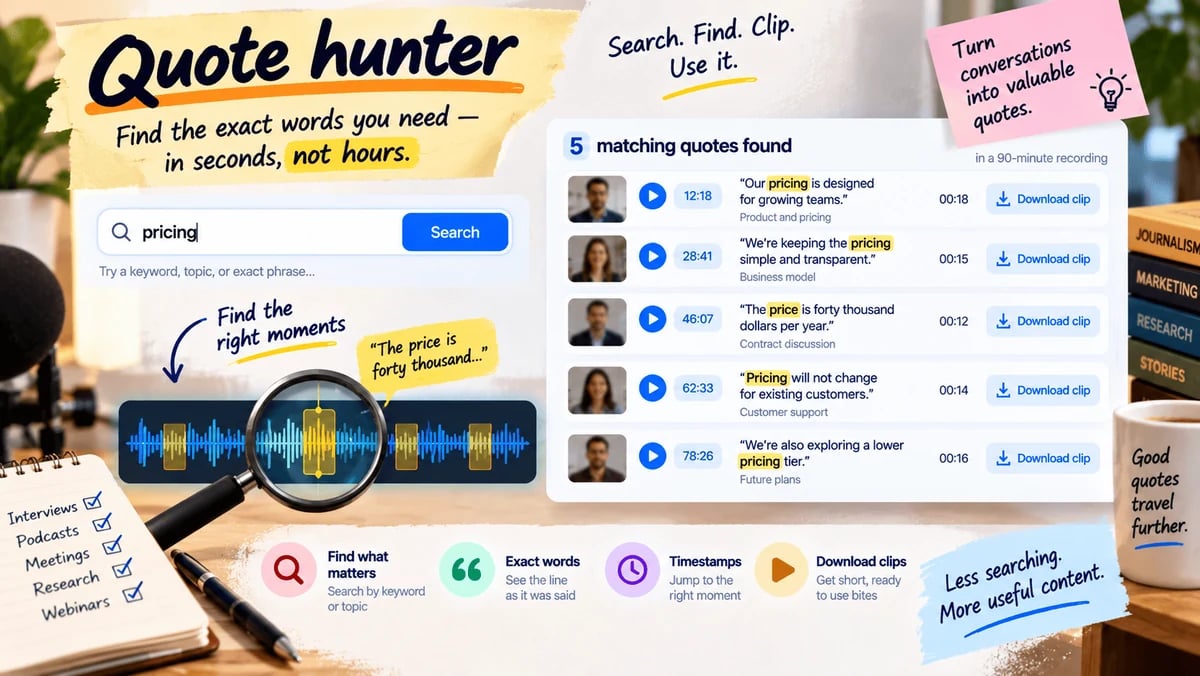
You remember that someone said something useful, but you do not want to scrub the whole file. You upload the recording and type a phrase or topic. We find matching lines, show the time for each one, and let you download a short clip of that bite. Example: search “pricing” in a 90-minute interview and leave with five usable quotes instead of a guess.

Open this tool

Useful for Ops, buyers, journalists, finance helpers

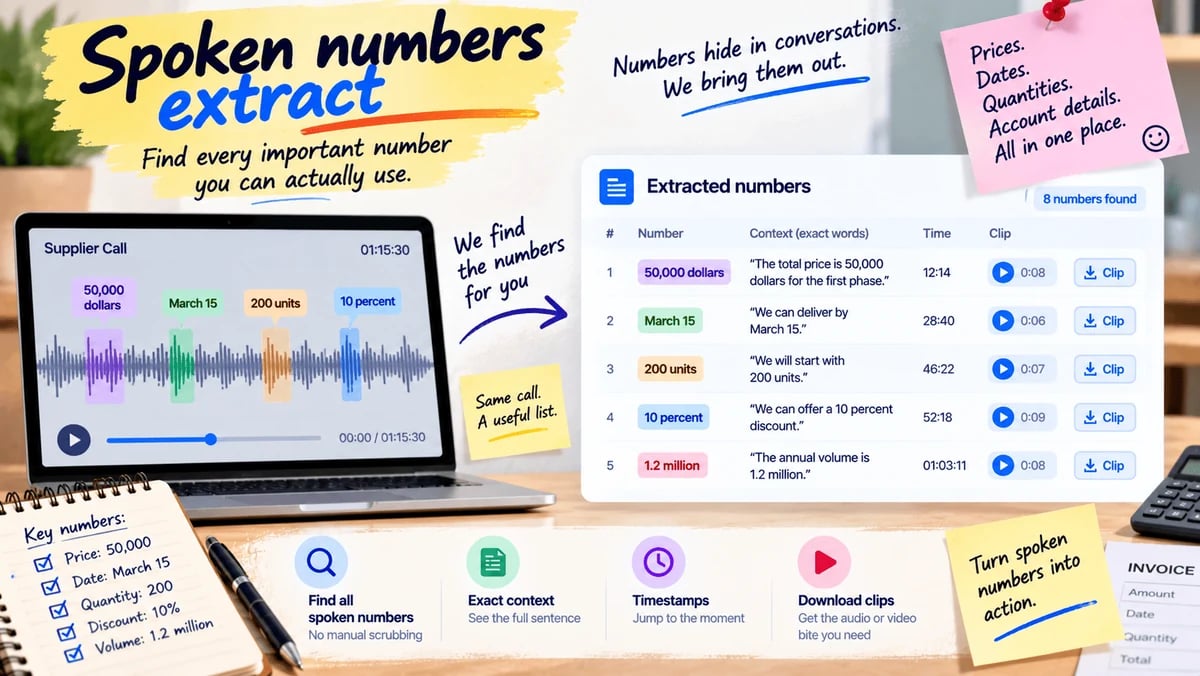
Prices, dates, quantities, and account-like figures get lost when they are only spoken. You upload the call or voice note. We pull every clear number with the sentence around it and the time it was said. You can download a short clip for a figure you need to check. Example: a vendor call becomes a list of amounts and dates you can put next to the invoice.

Open this tool

Useful for People in a long deal, weekly standups, second interviews

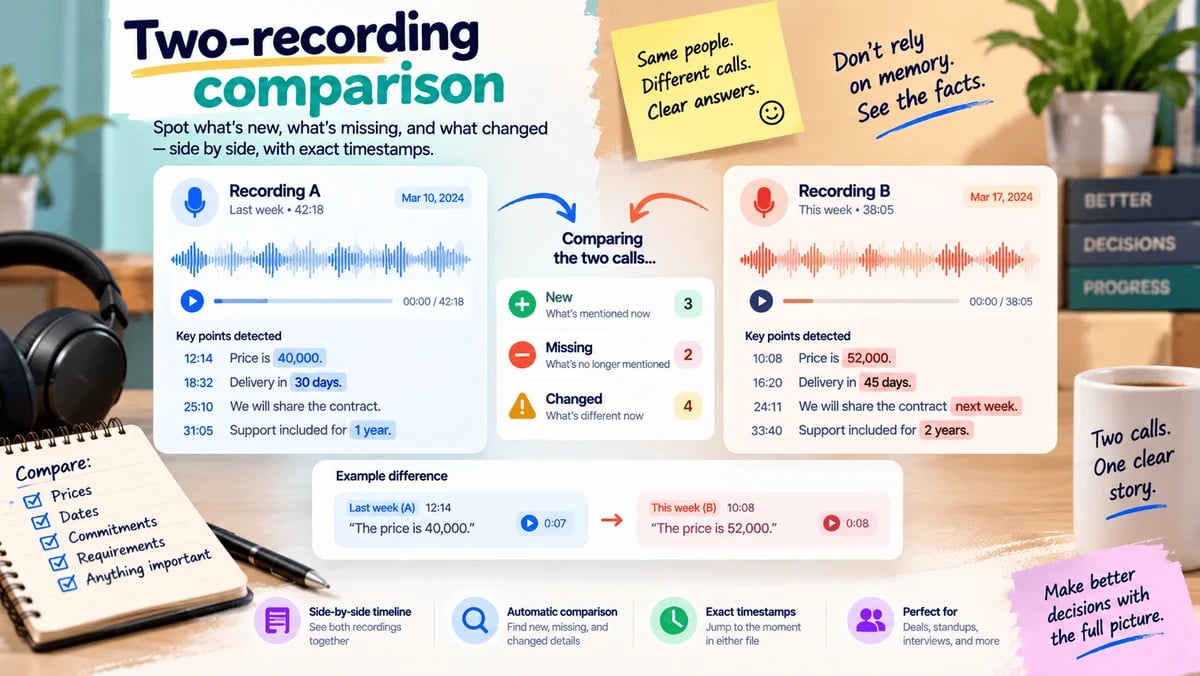
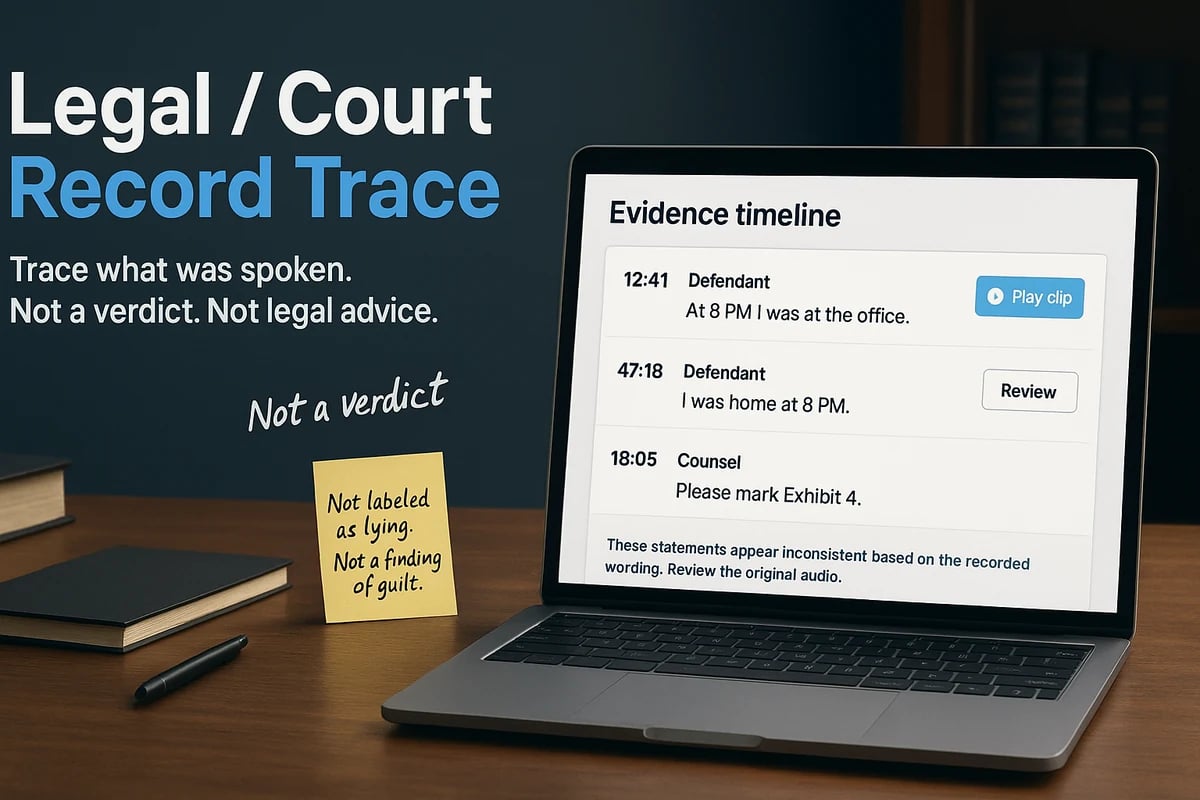
Two conversations can disagree and you should not have to trust your memory. You upload this recording and the earlier one. We list what is new, what disappeared, and what now contradicts the first file — each with times in both recordings. Example: last week the price was 40,000; this week it is 52,000, and both clips sit on one page.

Open this tool
Voice & recordings

Built for messy, everyday speech — short voice notes and mixed-language talk — not only studio files.

Useful for Anyone whose work arrives as voice notes

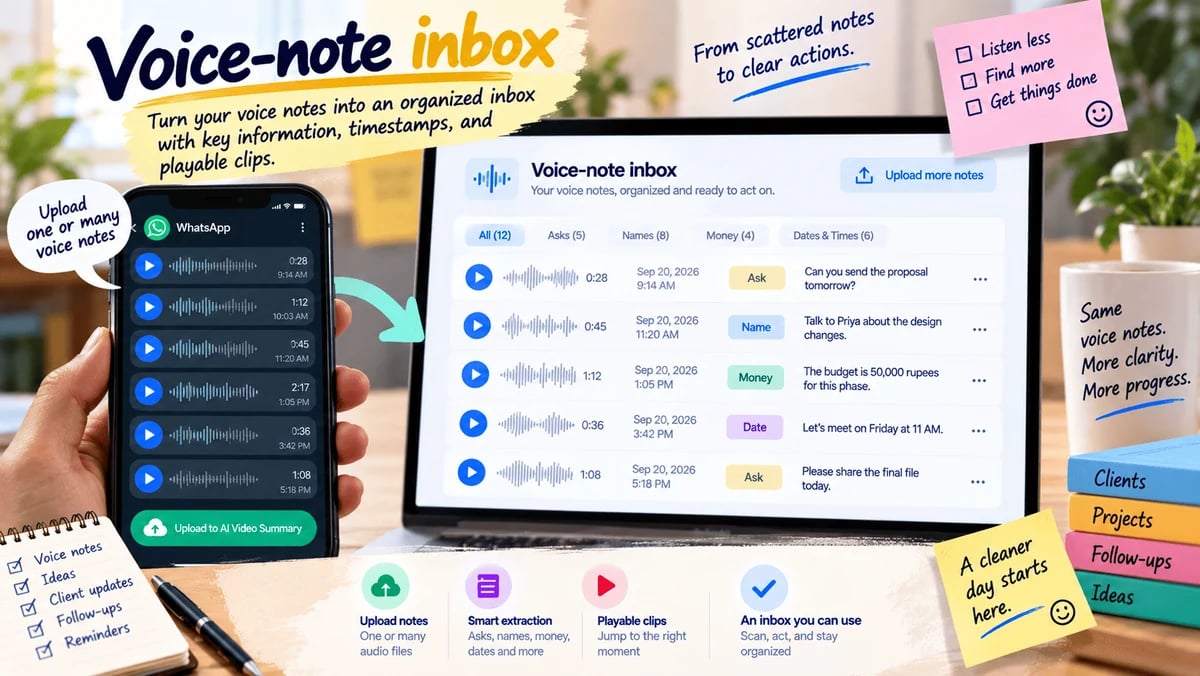
A stack of voice notes is easy to ignore and hard to search. You upload one note or several short audio files from your phone. We turn them into dated cards: asks, names, money, and times that were spoken, each with a playable snippet. You get an inbox you can scan instead of replaying forty messages. Example: a day’s client voice notes become a list you can act on at the desk.

Open this tool

Useful for Mixed-language teams and client work

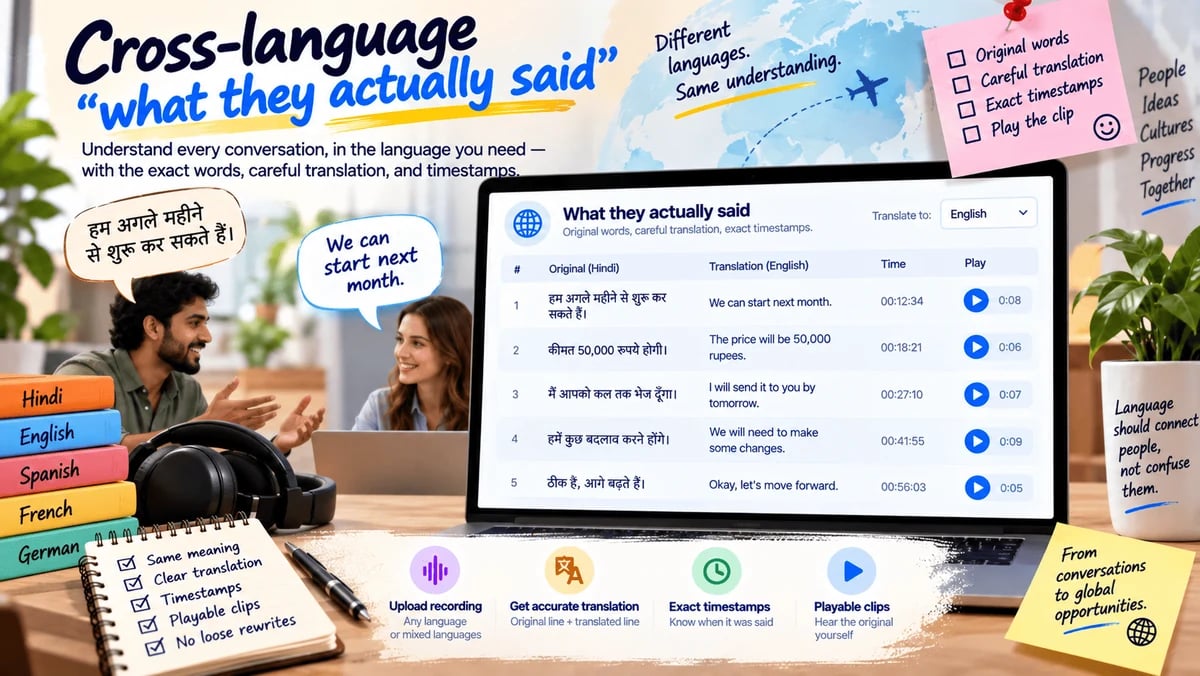
A call in one language often has to be understood in another — without a loose rewrite. You upload the recording and choose the language you need to read. We show the original line, a careful translation, and the time it was spoken. You can play the clip to check the translation. Example: a Hindi client call becomes an English quote table your teammate can trust.

Open this tool

Creator & performance

See what you said versus what you meant to say. Useful before you publish or walk into the next attempt.

Useful for Creators, presenters, students practicing a viva

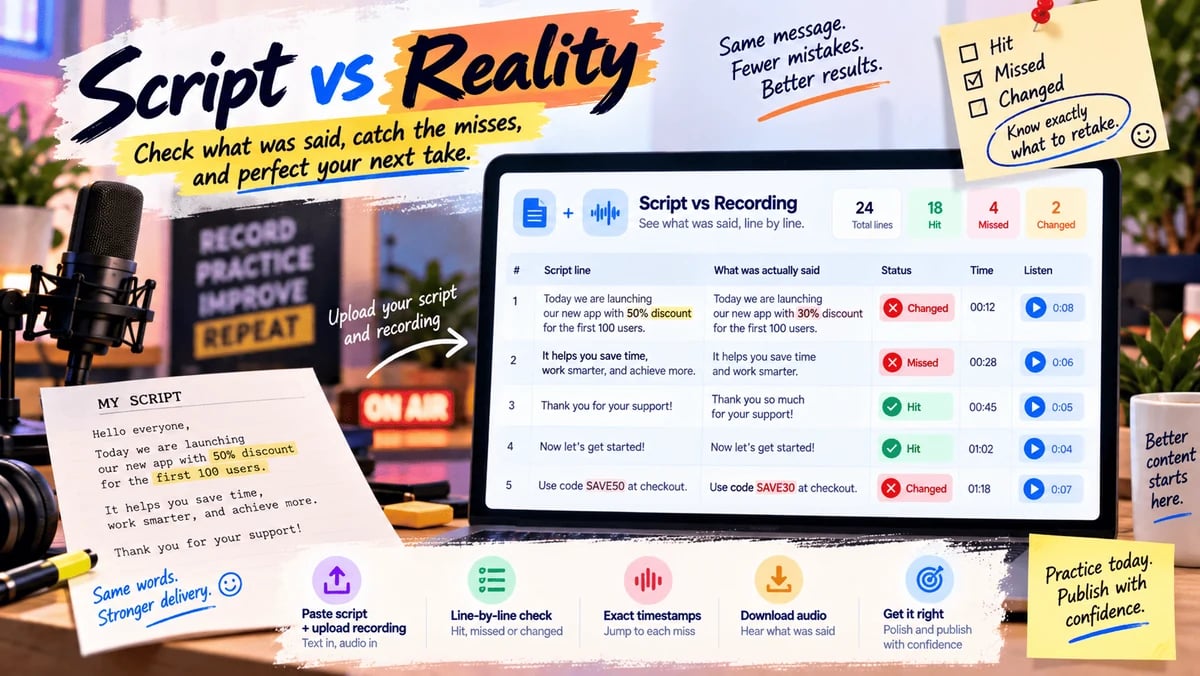
The written lines and the take often drift — a wrong price, a missed name, an extra sentence. You paste the script and upload the recording. We mark lines as hit, missed, or changed, and point to the time of each miss. You can download the audio of a miss so you know what to retake. Example: an ad read that swapped the discount is caught before it goes live.

Open this tool

Useful for Sales practice, interviews, talks

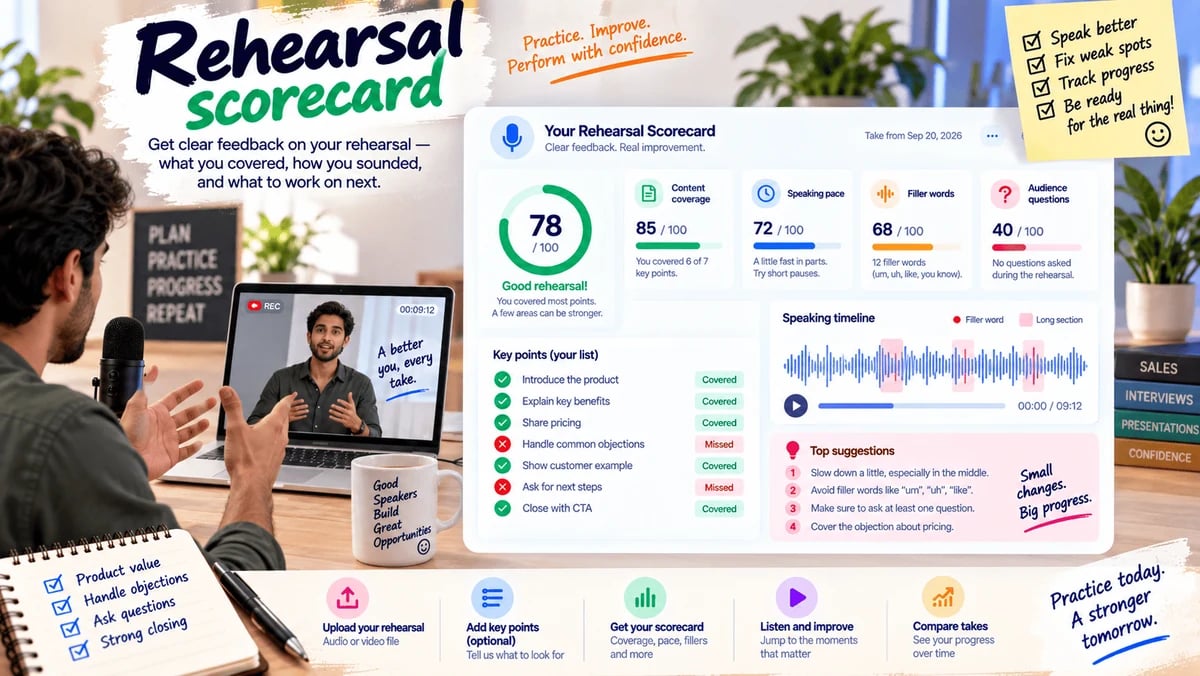
Practice only helps if you can see what to fix. You upload a rehearsal and, if you want, paste a short list of points you meant to cover. We score coverage, pace, filler habits, and questions you never answered. You get a simple scorecard you can compare with last week’s take. Example: a pitch rehearsal shows you talked for nine minutes without asking a question.

Open this tool

Useful for Hiring, oral exams, AMAs, research interviews

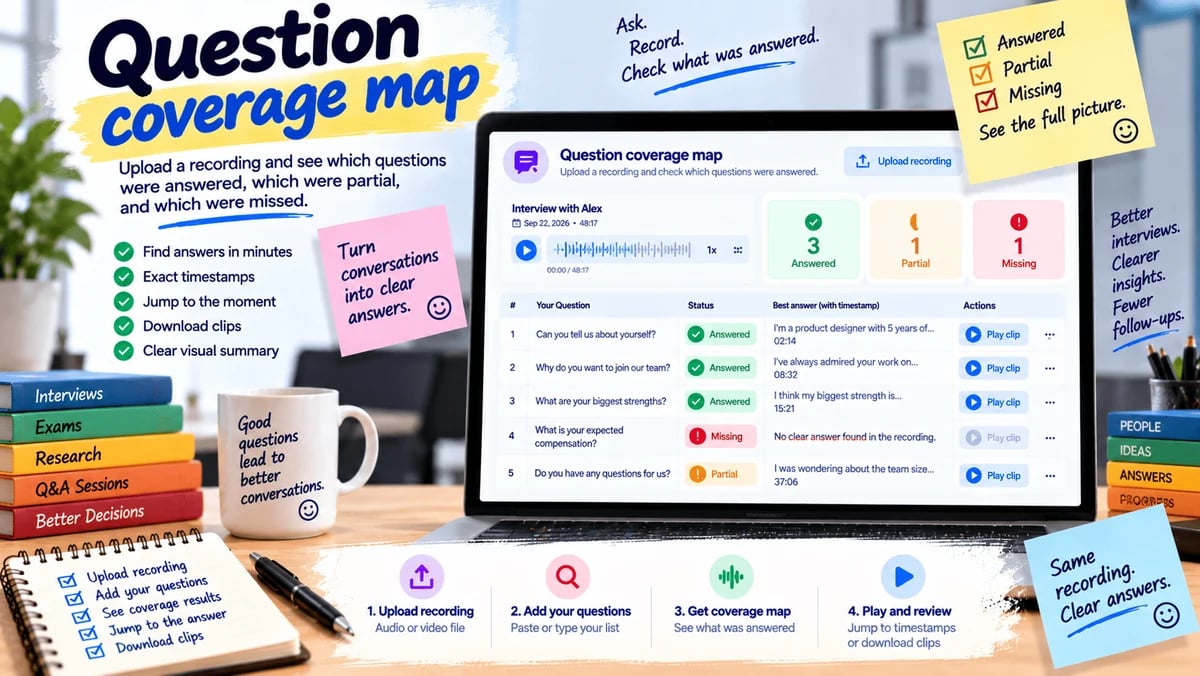
You had five questions. Did the recording actually answer them? You paste the questions and upload the file. We mark each one answered, partial, or missing, with the time of the best attempt. You can jump to that moment or download the clip. Example: after a candidate interview you see that compensation was never discussed.

Open this tool

Business & work

Turn a recording into a document someone else can use — a procedure, a help article, a ticket, a check.

Useful for Trainers, operations, anyone filming a how-to

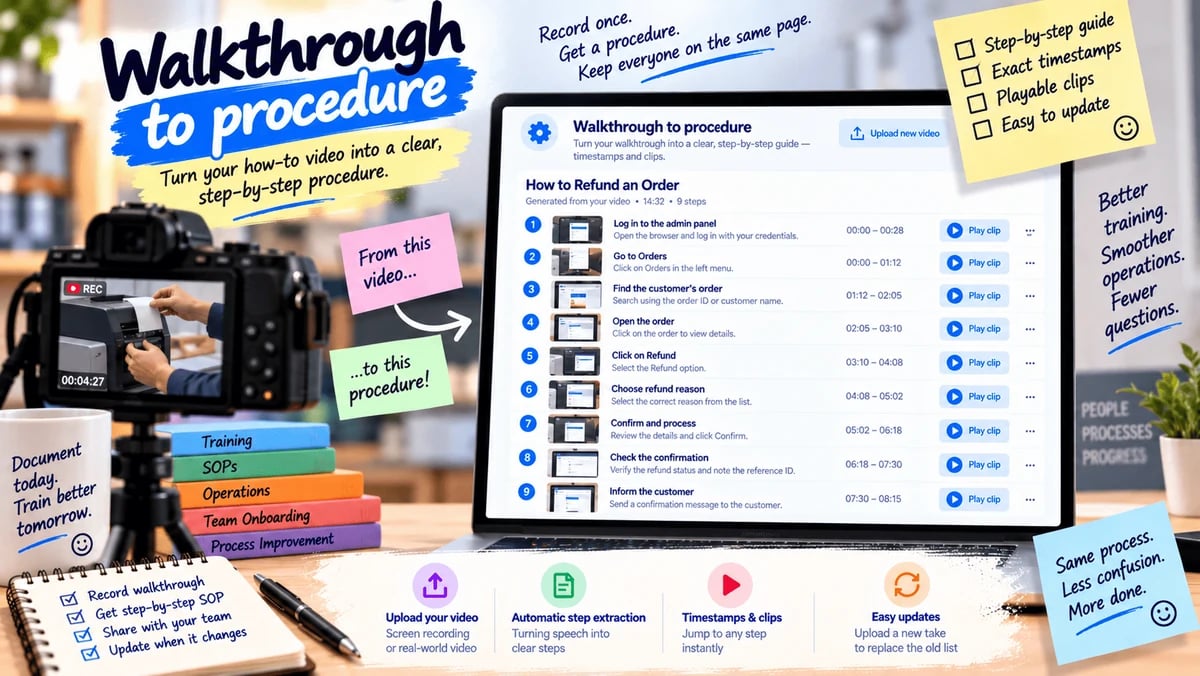
A screen recording or shop-floor video is a poor handbook. You upload the walkthrough. We turn the spoken steps into a numbered procedure, each step with a time and a short clip. When the process changes, you upload the new take and replace the old list. Example: “how we refund an order” becomes a one-page procedure instead of a 14-minute video.

Open this tool

Useful for Support and success teams

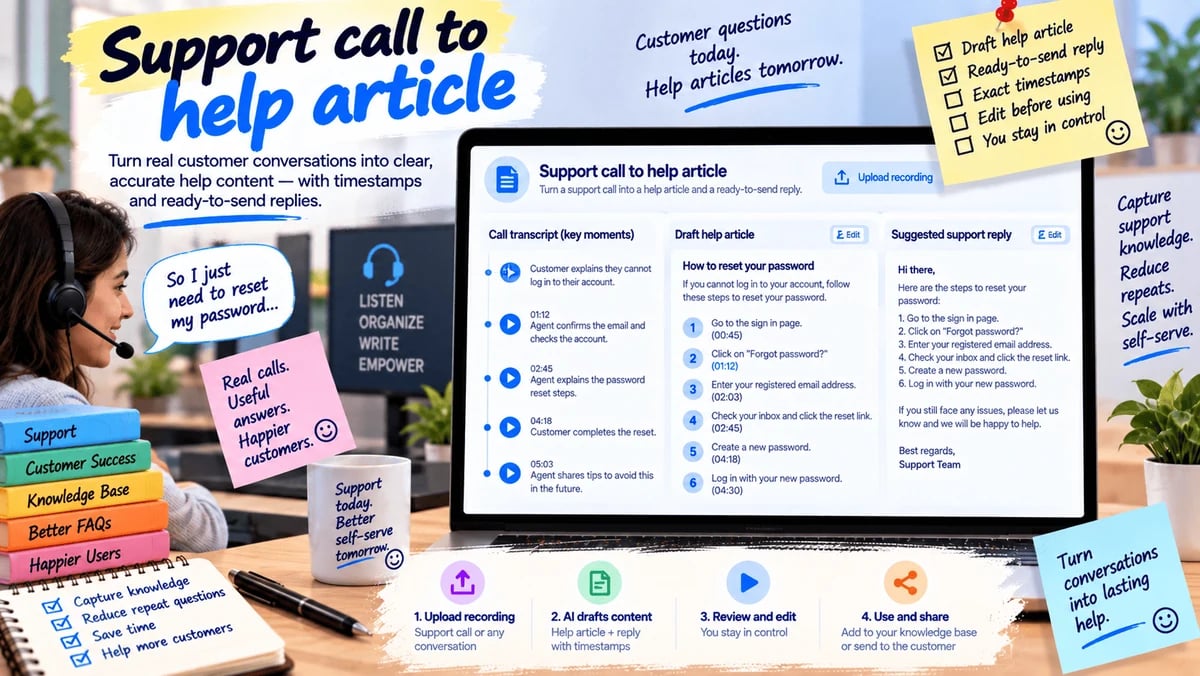
The same problem is explained on calls and never written down. You upload a support recording. We draft a help article and a short reply the next agent can send, each claim tied to a time in the call. You edit the draft; we do not publish it for you. Example: a password-reset call becomes an internal article with the exact steps the agent used.

Open this tool

Useful for Regulated teams and careful publishers

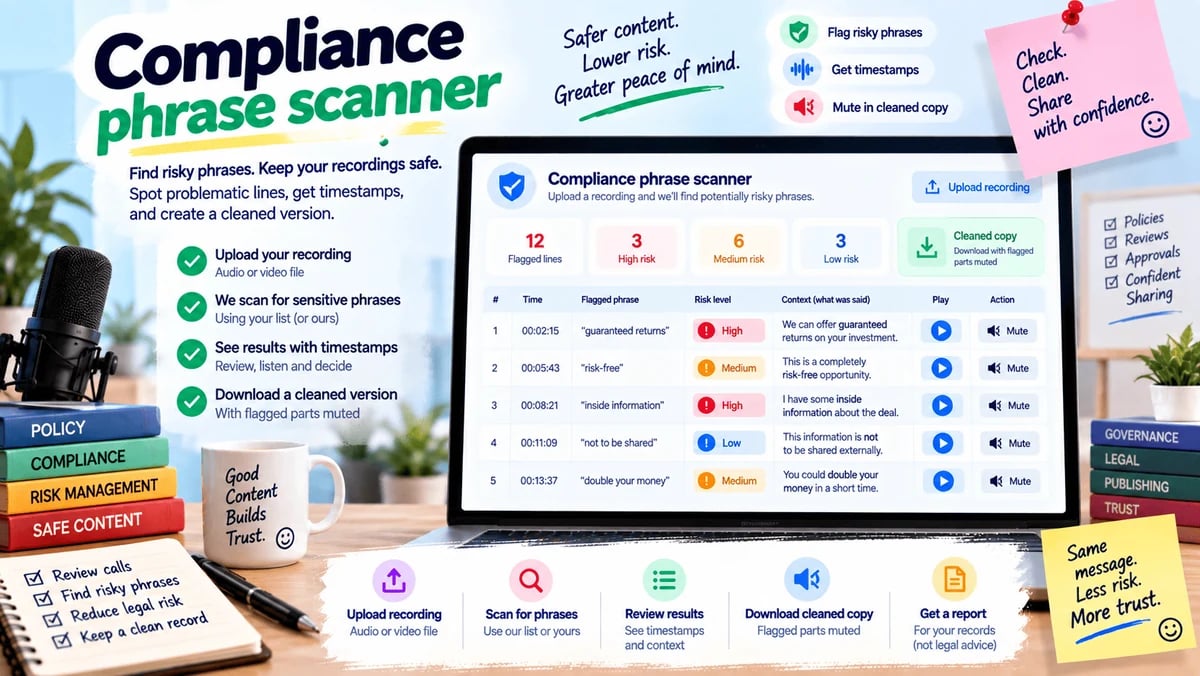
A few forbidden phrases can make a recording unsafe to keep or share. You upload the file and, if you want, add phrases your team watches for. We flag those lines with times and can mute them in a cleaned copy. You get a report, not a legal opinion. Example: a sales call is checked for “guaranteed returns” before it is filed.

Open this tool

Useful for Builders and product teams

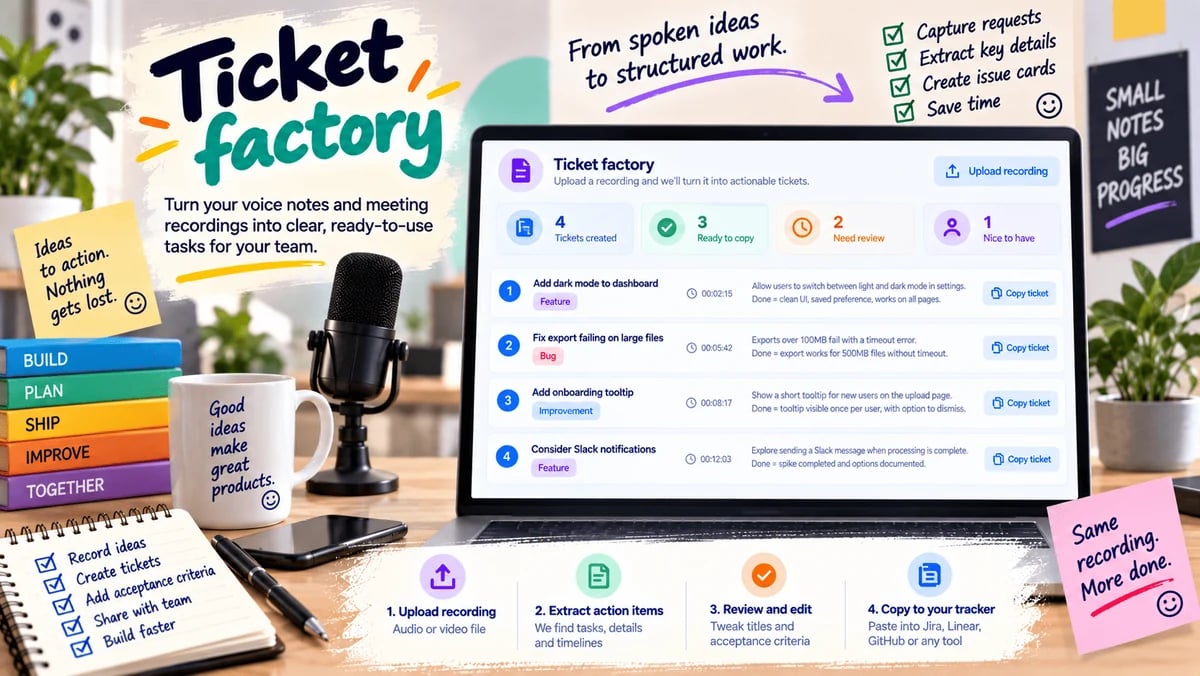
A rambling voice dump often hides three real tasks. You upload the recording. We turn spoken requests into issue cards: a title, what “done” would mean, and the time it was asked. You copy them into your tracker. Example: a founder voice note becomes four tickets instead of a forgotten five-minute file.

Open this tool

Education

Use the recording as the source of questions, not as a pile of notes you never reopen.

Useful for Teachers and students

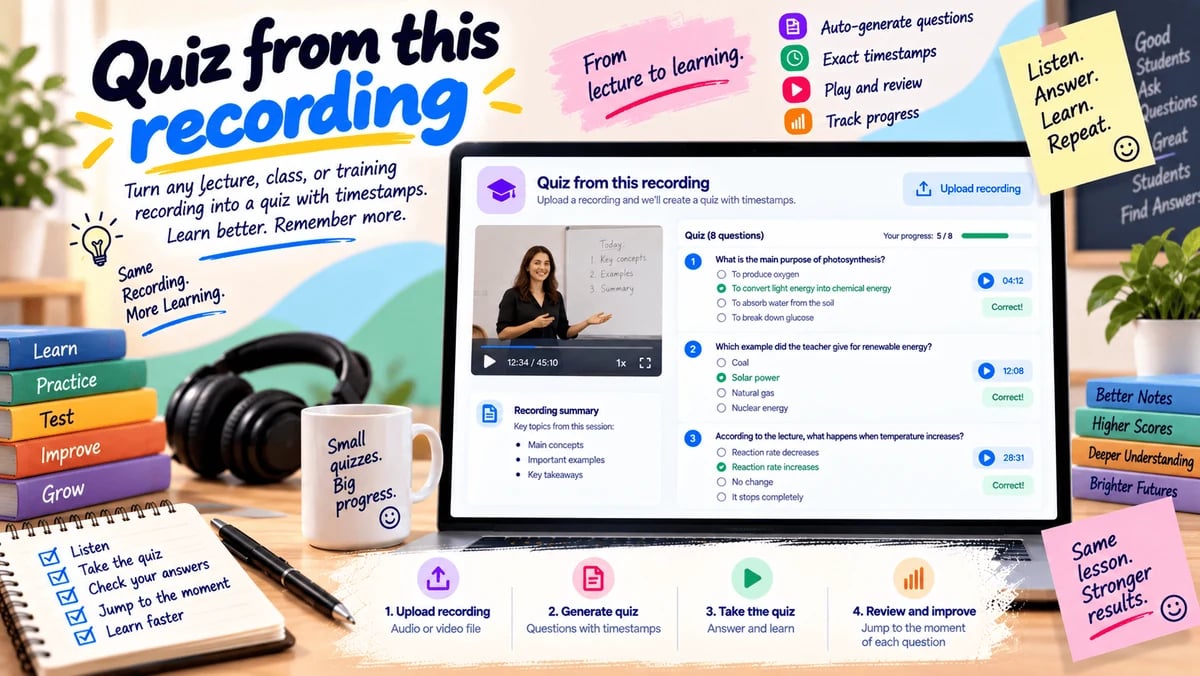
Listening is not the same as checking what you learned. A teacher uploads the class recording. We draft questions that can only be answered from that file, each one pointing to the moment in the lesson. Students can take the quiz here; a missed answer can jump back to the source. Example: Thursday’s lecture becomes Friday’s short quiz, with every item tied to the recording.

Open this tool
Toolkit — Spoken Record workflows | AI Video Summary