Video Content Accessibility: Why Accurate Transcripts and Captions Matter

Why Video Accessibility Transcripts & Captions Are Essential
Video accessibility transcripts and captions are more than just technical add-ons—they are essential features that make videos usable for everyone. Whether you’re educating, marketing, or sharing entertainment, accurate transcripts and captions ensure that people with hearing impairments, language barriers, or learning differences can fully engage with your content.
From a compliance standpoint, providing accessible video content helps organizations meet legal requirements, such as the Americans with Disabilities Act (ADA) and Web Content Accessibility Guidelines (WCAG). But the value goes beyond compliance: transcripts and captions improve search engine optimization (SEO), make your videos discoverable, and support a broader, more diverse audience.
In this article, you’ll learn how accurate transcripts and captions drive accessibility, why precision matters, how AI-powered tools like AIVideoSummary can help, and practical steps you can take to make your video content more inclusive.
---
Understanding Video Accessibility: Who Benefits?
Video accessibility means making video content usable by everyone, regardless of ability or circumstance. Here are some groups who directly benefit from transcripts and captions:
- People who are Deaf or hard of hearing: Captions and transcripts provide vital access to spoken content.
- Non-native speakers: Reading along helps with comprehension and language learning.
- Students and researchers: Easy reference for note-taking and content review. (See more tips for students)
- People in sound-off environments: Captions allow engagement even when audio isn’t an option (e.g., public transport, offices).
- Anyone who wants to search or skim content: Transcripts let users quickly find key information.
The Role of Accurate Transcripts and Captions
What Makes a Transcript or Caption "Accurate"?
Accuracy in transcripts and captions means:
- Text reflects exactly what is spoken, including speaker changes and non-verbal cues (e.g., [music], [laughter]).
- Proper punctuation, spelling, and timing (for captions).
- Synchronization with the video for easy following.
Inaccurate captions can confuse viewers, misrepresent your message, or even cause compliance issues. That’s why accuracy is a core focus for both manual and AI-powered solutions.
Legal and Ethical Imperatives
Many countries mandate accessible video content for public-facing organizations, especially in education, government, and healthcare. Failure to provide accessible content can lead to lawsuits and alienate audiences.
How AI Video Transcription & Subtitles Work
AI-driven tools like AIVideoSummary have transformed the process of generating transcripts and captions. Here’s how the typical workflow looks:
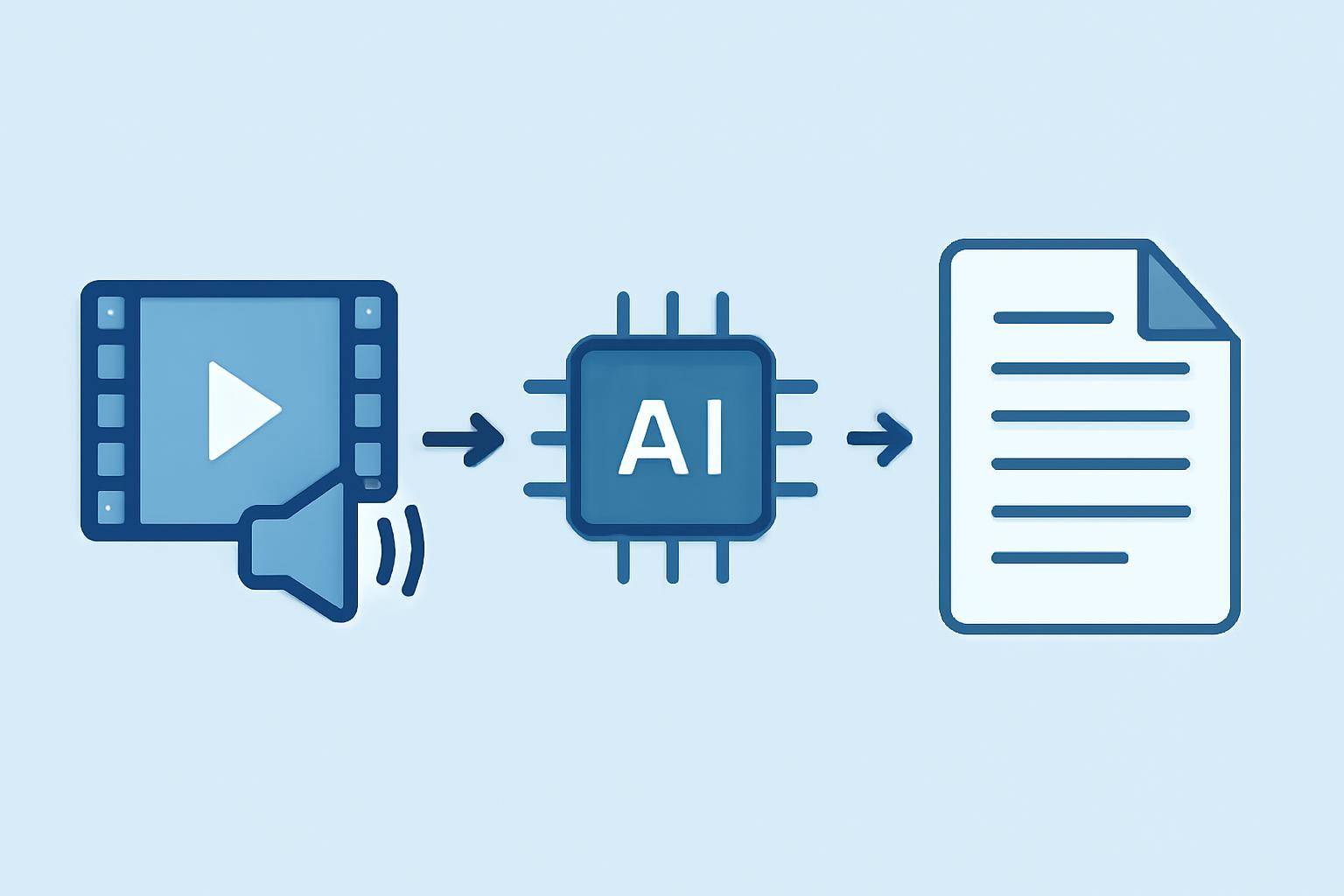
Typical AI Video Transcription Workflow
- Upload or provide a video URL: Start by uploading your file or pasting a YouTube or video URL. (Try it yourself)
- AI processing: Speech recognition algorithms convert spoken words to text, analyze speaker changes, and identify non-verbal cues.
- Formatting: The AI segments text into readable sentences and synchronizes with video timestamps for captions.
- Review & edit: Users can review the output, make corrections, and export transcripts or subtitle files.
AI vs. Human Transcription: Comparison Table
| Feature | AI Transcription | Human Transcription | |------------------------|---------------------------|-----------------------| | Speed | Minutes | Hours to days | | Cost | Low | Higher | | Accuracy (general) | 80–95% (varies by audio) | 95%+ (if expert) | | Handles accents/slang | Sometimes struggles | Usually better | | Custom vocabulary | Limited, but improving | Highly flexible | | Editing required | Usually required | Minimal | | Scalability | Highly scalable | Limited |
Learn about AI subtitle accuracy and AI transcription accuracy to set the right expectations.
Why Accuracy Matters: Practical Impacts
Real-World Scenarios
- Educational videos: Inaccurate captions can confuse learners or misrepresent key concepts. Precision ensures all students—regardless of ability—get the same information. Explore AI transcription for education.
- Legal and medical content: In fields where every word counts, accuracy is non-negotiable. Learn about legal and medical transcription options.
- Corporate training: Employees accessing training in different environments or with language differences need clear, reliable captions and transcripts.
- Search & content repurposing: Accurate transcripts make video content searchable and easy to repurpose into blogs, summaries, or marketing assets. (See how to summarize YouTube videos with AI)
The SEO Connection
Search engines can’t “watch” videos, but they can index transcripts and captions. Including accurate transcripts boosts your video’s discoverability and relevance. This is a proven way to increase organic traffic and engagement for your content.
Best Practices for Accessible Video Content
Creating High-Quality Transcripts & Captions
- Use clear audio: Background noise and overlapping speech reduce accuracy.
- Edit and proofread: Even advanced AI may misinterpret names, jargon, or accents. Always review before publishing.
- Include speaker IDs: Identify speakers in transcripts when possible.
- Describe non-verbal elements: Capture essential audio cues (e.g., [applause], [music]) for a richer experience.
- Choose the right tool: Use a trusted platform like AIVideoSummary for fast, accurate results, and the ability to easily edit and export.
Making Your Workflow Efficient
- Automate where possible: Start with AI for speed, then review and correct.
- Leverage batch processing: Upload multiple videos for bulk transcription.
- Integrate with your LMS or CMS: Many platforms support importing caption and transcript files.
- Maintain accessibility standards: Follow WCAG and ADA guidelines for compliance.
For a detailed guide, see how to transcribe video to text using AI.
Common Challenges and How to Overcome Them
- Accents, dialects, and technical jargon: AI may struggle here. Add custom vocabulary or clarify in post-editing.
- Fast or overlapping speech: Encourage speakers to pause between sentences during recordings.
- Multiple speakers: Use tools that support speaker identification, then manually verify.
- Sensitive or confidential content: Ensure you choose platforms that handle data securely.
How AIVideoSummary Supports Accessibility
AIVideoSummary offers a suite of features designed for speed, accuracy, and flexibility:
- Accepts uploads and URLs from most major platforms
- Supports multiple languages and domains (education, legal, medical)
- Easy online editor for quick corrections
- Bulk processing and export options
- Transparent pricing with no hidden fees
Ready to make your videos accessible? Try AIVideoSummary with your first video or URL.
---
Practical Examples: Accessibility in Action
Scenario 1: An online university uploads lecture videos to its learning management system. Using AI transcription, they generate captions and transcripts for each lecture, then review and correct specialized terminology. Students can search transcripts for exam revision and follow along with captions regardless of hearing ability.
Scenario 2: A marketing team repurposes webinar recordings. They create accurate transcripts, then extract key highlights for blog posts. This makes the content accessible to both search engines and audiences who prefer reading.
Scenario 3: An international tech company hosts all-hands meetings on video. With multilingual captions, employees around the globe can participate and understand, regardless of their native language.
For more on creating perfect subtitles, see our guide to accurate timestamps.
---
Accessibility Tools & Resources: How to Get Started
- AIVideoSummary: Upload, paste a URL, and get fast, accurate transcripts and captions (learn more about features).
- Manual review: Always check transcripts for accuracy and add speaker labels or notes as needed.
- Accessibility checkers: Use online tools to verify compliance with WCAG or ADA guidelines.
Conclusion: Accessible Video Is Better Video
Ensuring your videos have accurate transcripts and captions is a win for everyone. It’s not just about meeting legal requirements; it’s about inclusivity, discoverability, and audience engagement. With AI-powered tools, the process is faster and more affordable than ever—but human review remains essential for top-tier accuracy, especially in specialized or sensitive contexts.
Want to see the difference accurate transcripts and captions can make? Start your free trial with AIVideoSummary and make your video content accessible to all.
---