How to Use AI to Extract Key Points from Long Videos

Why Extracting Key Points from Videos Matters
Long-form videos—such as webinars, lectures, interviews, and tutorials—are packed with information, but rarely is every minute equally important. For students, professionals, and content creators, quickly extracting key points from video saves time, boosts productivity, and makes learning or referencing easier. AI-powered tools now enable users to transcribe, summarize, and highlight video content without tedious manual note-taking.
If you're searching for ways to extract key points from video efficiently, AI offers practical and accessible solutions. Modern AI platforms can automatically convert video to text, identify key themes, and generate concise summaries or bullet lists. This means you can quickly review the essence of hour-long content in just minutes, or create searchable archives for your media library.
How AI Extracts Key Points from Long Videos
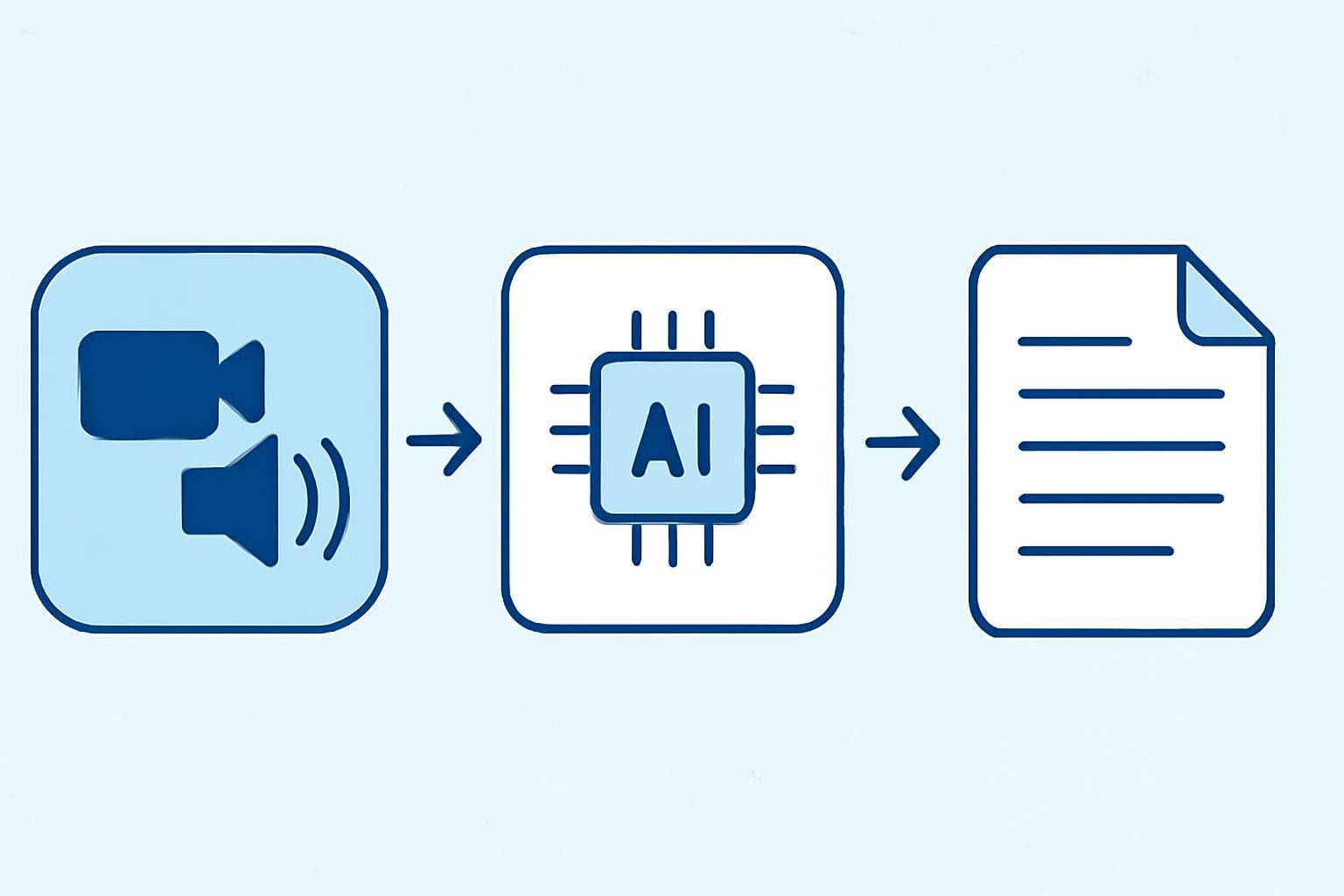
AI-driven video analysis typically involves several steps:
- Transcribing the video audio to text
- Analyzing the transcript for main topics and highlights
- Generating summaries, bullet points, or keyword lists
Let’s break down each step and the AI technologies involved.
Step 1: Transcribing Video to Text
Automatic Speech Recognition (ASR) models convert spoken words into written text. Advanced AI transcription services like AIVideoSummary can handle different accents, industry jargon, and background noise with impressive accuracy. This transcript forms the basis for further analysis.
Benefits of AI transcription:
- Time savings compared to manual transcription
- Searchable text for quick navigation
- Foundation for subtitle generation and content summarization
For specific use cases—such as legal or medical videos—specialized AI transcription options are available to improve accuracy with domain-specific language.
Step 2: Identifying Key Points and Highlights
Once the video is transcribed, Natural Language Processing (NLP) algorithms analyze the text. These models:
- Detect topic changes, speaker emphasis, or repeated themes
- Extract named entities (people, places, organizations)
- Summarize sections based on semantic importance
Some tools allow you to set custom parameters (e.g., extract only action items, or highlight Q&A sections).
Step 3: Generating Summaries and Bullet Points
AI summarization models transform the transcript into digestible formats:
- Executive summaries (1-2 paragraphs)
- Bullet point lists of main ideas
- Timestamped highlights (e.g., "At 15:20, the presenter explains...")
You can further refine these outputs—edit them, add your own notes, or export to your preferred format.
Practical Example: Extracting Key Points with AIVideoSummary
Let’s walk through a real-world example using AIVideoSummary. Suppose you have a 90-minute university lecture and want to quickly extract the essential takeaways.

Step-by-step process:
- Upload or paste your video URL using AIVideoSummary’s process page.
- The AI transcribes the audio, creating a complete text version.
- A summary is generated, highlighting the main points and segmenting the content by topic.
- Download the bullet points, summary, or full transcript for your notes or reports.
- Optionally, generate subtitles or captions for accessibility and reference.
Example Output:
Summary:
- Introduction to neural networks and deep learning
- Key research milestones in the last decade
- Practical applications in image recognition and NLP
- Q&A: How to start a project in AI research
Timestamps:
- 00:03:45 — What is a neural network?
- 00:28:20 — Case studies: Healthcare and finance
- 01:12:10 — Student Q&A
For a more detailed walkthrough, see how to transcribe video to text using AI.
AI Video Summarization vs. Manual Note-Taking
How does using AI compare to traditional methods? Here’s a quick breakdown:
| Feature | AI Summarization | Manual Note-Taking | |------------------------------|---------------------------------------|-----------------------------------| | Speed | Minutes for long videos | 1x or 2x video duration | | Consistency | High (no skipped sections) | Variable (subject to fatigue) | | Searchability | Full-text search, timestamps | Notes only (unless transcribed) | | Accuracy | High, but not perfect | Usually high, but human errors | | Customization | Bullets, summaries, subtitles, etc. | User-defined notes | | Cost | SaaS subscription | Time investment |
For more on subtitle and transcription accuracy, see AI Subtitle Accuracy and AI Transcription Accuracy.
When Should You Use AI to Extract Key Points from Video?
AI is most effective for:
- Long-form content (webinars, lectures, interviews)
- Research and studying (summarizing academic talks)
- Corporate meetings (capturing action items)
- Podcast and YouTube creators (quick recaps for viewers)
AI may not be ideal for:
- Videos with heavy accents, poor audio, or lots of crosstalk
- Highly visual content where images/diagrams are key
- Confidential content requiring strict data privacy
For students, see the Ultimate Student Guide to AI Transcription and Notes for more focused strategies.
Best Practices: Getting the Most from AI Video Summarization
- Use clear, high-quality audio whenever possible for best transcription accuracy
- Review and edit AI-generated summaries to ensure important nuances are included
- Leverage timestamps to jump to relevant video sections
- Combine AI summaries with your own notes for more effective learning or reporting
- Test multiple tools if your content is highly specialized (e.g., medical or legal)
For more on creating accurate subtitles, visit Perfect Subtitles with Accurate Timestamps.
Limitations and Considerations
While AI tools for extracting key points from video are powerful, they aren’t flawless. Here’s what to keep in mind:
- Accuracy varies based on audio quality, speaker clarity, and topic complexity
- AI may miss subtle context, humor, or sarcasm
- Sensitive topics may require human review
- Always check the privacy policy, especially for confidential or sensitive content
You can read about AIVideoSummary’s features and data handling for more details.
How to Get Started: Try Extracting Key Points with AI
Ready to save hours on video review and note-taking? AIVideoSummary makes it easy:
- Upload your video file or paste a video link
- Receive a full transcript, summary, and key bullet points
- Download, edit, or share your results
Explore pricing options or try processing your first video today—no lengthy onboarding required.