How to Make Long Videos Easier to Watch with AI-Powered Summaries

Why Long Videos Are Hard to Watch—and How AI Video Summaries Help
Lengthy videos often overwhelm viewers, whether they're students catching up on lectures, professionals reviewing webinars, or creators editing content. When time is limited, skimming a two-hour video for key points is hardly practical. This is where AI video summary tools come in—they automatically generate concise summaries, searchable transcriptions, and subtitles, making it easy to grasp the essence of any video without watching every minute.
If your goal is to save time, boost productivity, or make video content more accessible, AI-powered summarization is a game-changer. In just a few clicks, you can obtain:
- A written transcript of spoken content
- An accurate summary highlighting core ideas
- Time-stamped captions or subtitles for easy navigation
- The ability to search, share, or repurpose video content
Anyone can extract value from long videos—whether you need quick meeting recaps, study notes, or content for blogs and social posts. Below, you'll learn how AI video summaries work, when to use them, their pros and cons, and how to get the most out of these tools.
What Is an AI Video Summary?
An AI video summary is a condensed version of a video’s main points, generated automatically using artificial intelligence. Rather than manually watching and taking notes, AI analyzes the video’s speech and visuals to provide:
- A written summary or bullet-point highlights
- Full or partial transcriptions
- Captions and subtitles
- Key timestamps for important segments
These outputs are invaluable for quickly understanding content, searching for specific topics, and sharing insights with others. For more details on the technology, see the AI Video Summary features page.
How AI Video Summarization Works: Step-by-Step
AI-powered video summarization involves several steps, typically handled automatically by services like AIVideoSummary. Here’s a simplified breakdown:
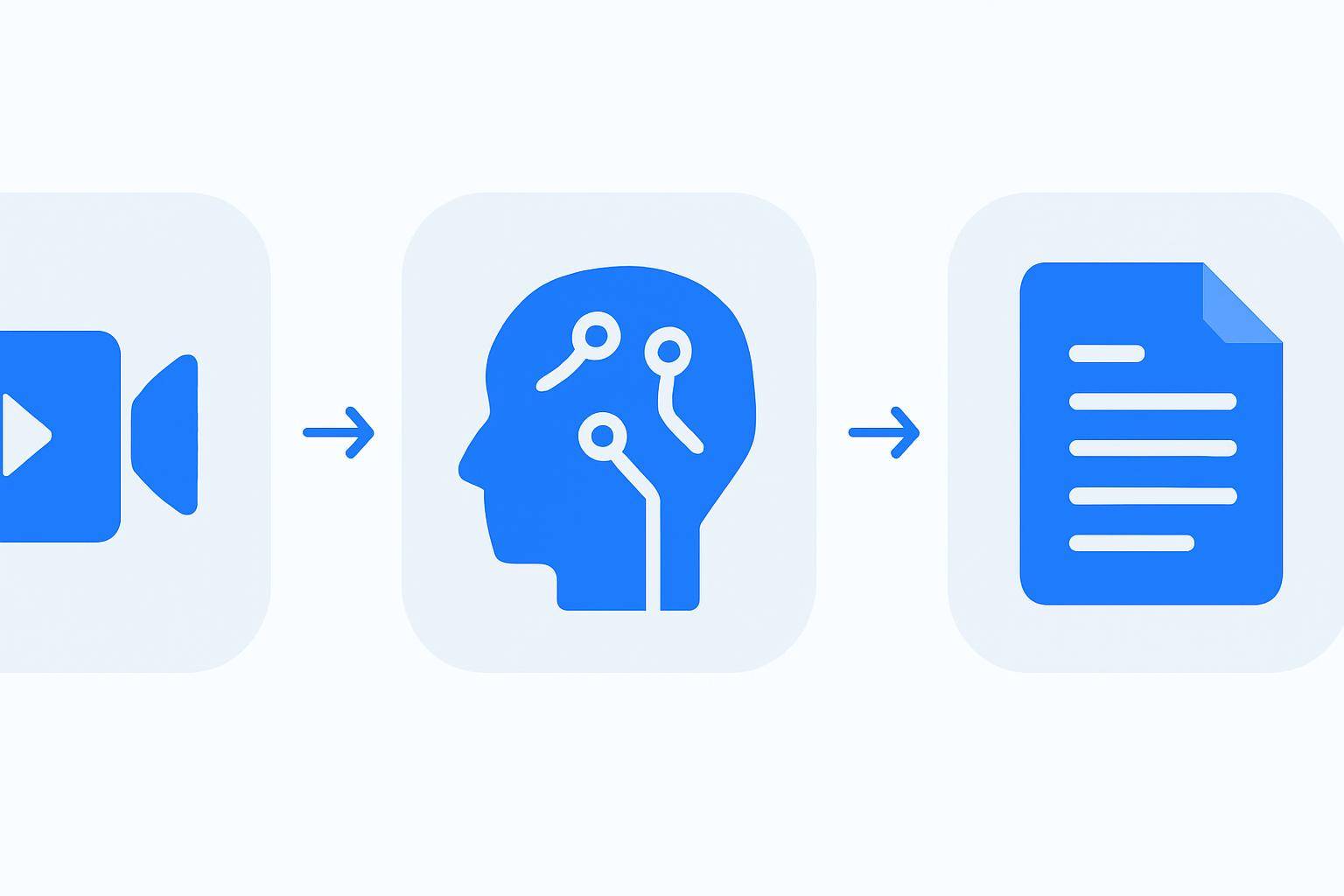
1. Upload or Link Your Video
- Upload a video file or paste a URL (e.g., YouTube, Vimeo)
- Tools like AIVideoSummary’s URL processor handle various formats
2. AI Transcribes the Speech
- Speech recognition converts audio to text
- Handles multiple speakers and accents (with varying accuracy)
3. AI Analyzes and Summarizes Content
- Natural Language Processing (NLP) identifies topics, key sentences, and logical structure
- Generates a concise summary, usually a paragraph or bullet points
4. Outputs: Summary, Transcript, and Subtitles
- Download or view the video summary
- Access full transcripts with timestamps
- Generate subtitles or captions for accessibility
For a detailed walkthrough, explore how to transcribe video to text using AI.
Why Use AI Video Summaries? Key Benefits
AI video summary tools offer significant advantages for individuals and teams dealing with long-form video content:
- Save Time: Read a summary in minutes instead of watching hours of footage
- Boost Accessibility: Subtitles and transcripts help non-native speakers, those with hearing loss, and anyone who prefers text
- Improve Searchability: Indexed transcripts and summaries make it easy to find specific topics or quotes
- Enhance Productivity: Quickly extract meeting notes, study guides, or content ideas
- Content Repurposing: Turn videos into blog posts, newsletters, or social media snippets
- Collaboration: Share concise summaries with colleagues or classmates
For students, see our Ultimate Student Guide to AI Transcription & Notes.
Practical Example: Summarizing a Long YouTube Lecture

Suppose you have a 90-minute YouTube lecture on quantum mechanics. Here’s how you might use an AI video summary tool to make it digestible:
- Paste the YouTube URL into AIVideoSummary’s video processor
- Wait for AI to transcribe and analyze—this usually takes a few minutes depending on video length
- Receive a concise summary (e.g., "This lecture covers quantum entanglement, measurement, and the EPR paradox, focusing on experimental evidence and real-world implications.")
- Download the full transcript for reference or note-taking
- Access subtitles if you want to watch with captions or need to jump to key points
Who Benefits Most?
- Students & educators: Summarize lectures and educational videos
- Professionals: Recap webinars, meetings, and interviews
- Content creators: Repurpose videos into blog posts (see how to rewrite a blog post from video)
- Legal & medical teams: Create accurate records (AI legal transcription, medical transcription)
Comparison Table: Manual vs. AI Video Summarization
| Feature | Manual Summarization | AI Video Summary Tools | |----------------------------|----------------------------------|------------------------------------| | Time Required | 1-2 hours per video | Minutes (automated) | | Accuracy | High (if expert) | High, but may miss subtle context | | Cost | High (labor-intensive) | Low (automated, scalable) | | Subtitle Generation | Manual typing | Automatic, with timestamps | | Searchability | Limited to personal notes | Full-text search, keyword jump | | Accessibility | Requires extra effort | Built-in subtitles/captions | | Language Support | Limited by human skills | Multilingual (with some limits) | | Privacy/Security | Controlled, but slower | Depends on tool; review policies |
For more on subtitle quality, see AI subtitle accuracy explained.
Limitations of AI Video Summarization
While AI video summary tools are powerful, they’re not flawless. It’s important to understand their limitations:
- Not 100% Accurate: Background noise, strong accents, or technical jargon can reduce transcription and summary quality (see AI transcription accuracy)
- Loss of Nuance: AI may miss sarcasm, jokes, or subtle emotional cues
- Language Support: Most tools excel in English; support for other languages varies
- Formatting Issues: Complex visuals or diagrams aren't always transcribed well
- Privacy Concerns: Always check how your video data is handled
Despite these, AI is continually improving. Reviewing and editing the output is recommended for critical use cases.
How to Get Started with AI Video Summaries
Ready to make long videos digestible? Here’s a step-by-step guide:
- Choose a reputable AI video summary tool (like AIVideoSummary)
- Upload your video or paste a link (process video URL)
- Wait for the AI to process your video—this is usually quick
- Review and download the summary, transcript, and subtitles
- Edit as needed for clarity or context
If you want to try it now, upload your video or paste a YouTube URL to see how fast you can get a summary. For pricing and plan options, visit the AIVideoSummary pricing page.
Advanced Use Cases & Integrations
AI video summarization isn’t just for solo viewers. Advanced users and organizations can benefit in several ways:
- Batch processing: Summarize multiple videos at once
- Integration with LMS or CMS: Automatically generate summaries for educational or internal training videos
- APIs: Developers can integrate summarization into their own apps or platforms
- Industry-specific transcription: Tailored services for legal, medical, and educational needs
Tips for Maximizing AI Video Summary Accuracy
- Use clear audio and avoid background noise
- If possible, provide speaker names or context up front
- Review and manually adjust summaries for important or sensitive material
- Leverage the transcript search to find and edit specific sections
- For highly technical or jargon-heavy content, supplement with manual review
For a deeper dive into best practices, check out our guide to perfect subtitles with accurate timestamps.
When Not to Rely Solely on AI Summaries
AI tools are best for:
- Quickly extracting main points
- Making content accessible/searchable
- Repurposing or sharing non-sensitive information
However, for:
- Legal evidence or compliance documents
- Critical medical records
- Content requiring deep nuance or accuracy
…always review the output manually or consult a human expert. Tools like AIVideoSummary are a starting point but shouldn’t replace careful review in high-stakes scenarios.
Frequently Asked Questions: AI Video Summaries
1. How accurate are AI video summaries and transcriptions?
AI video summaries are generally very accurate for clear, well-recorded speech and common vocabulary. However, accuracy can drop with background noise, technical jargon, or strong accents. Always review critical content.2. Can I use AI video summary tools for YouTube videos?
Yes, most tools support YouTube URLs. Paste the link, and the tool will fetch and process the video. For step-by-step instructions, see summarize YouTube video with AI.3. Are there privacy risks when uploading videos for AI summarization?
Privacy depends on the provider. Reputable platforms explain their data handling and retention policies. For sensitive material, always verify how your files are stored and processed.4. Can AI-generated subtitles help with SEO or accessibility?
Absolutely. Subtitles and transcripts make video content indexable by search engines, and accessible to viewers with hearing loss or language barriers. For more details, see AI subtitle accuracy.5. What file formats and languages are supported?
Most AI summarization tools handle standard video formats (MP4, MOV, etc.) and support English well. Coverage for other languages and formats varies—check the provider’s FAQ or documentation.6. Is it possible to edit the AI-generated summary or transcript?
Yes, you can usually edit or refine the output to suit your needs, adding context or correcting any errors. This is especially useful for technical or nuanced content.---
Want to experience the benefits of quick, accurate video summarization? Try AIVideoSummary now by uploading a video or pasting a URL. For more features and details, visit the AIVideoSummary homepage.