AI Caption Generator: How to Create Captions from Any Video

What Is an AI Caption Generator?
An AI caption generator is a tool that automatically converts spoken words from any video into written text, formatted as captions or subtitles. Leveraging advanced speech recognition and natural language processing, these tools can process a wide variety of video formats—making them valuable for creators, educators, marketers, and anyone looking to make their video content more accessible.
If you want to quickly generate captions for a YouTube video, meeting recording, lecture, or podcast, AI caption generators can save hours compared to manual transcription. They are especially helpful for improving accessibility, allowing viewers who are deaf or hard of hearing, or those watching without sound, to follow along with your content.
How do you create captions from any video? The process involves uploading your video (or providing a link), letting the AI transcribe speech to text, and then exporting the result in subtitle formats like SRT or VTT. Platforms like AIVideoSummary make this easy—no technical skills required.
Why Use an AI Caption Generator?
AI-powered caption generators offer a range of benefits:
- Speed: Transcribe and caption videos in minutes, not hours.
- Cost-Effective: No need for expensive manual transcription services.
- Scalability: Process large volumes of video quickly.
- Accessibility: Make content compliant with accessibility standards.
- SEO Value: Search engines can index your video text, boosting discoverability.
- Multilingual Support: Many tools support multiple languages or can auto-translate captions.
These advantages are especially important for content creators, educators, marketers, and organizations managing large video libraries. For more on the practical impact, see AI Subtitles: How Accurate Are They?.
How Does an AI Caption Generator Work?
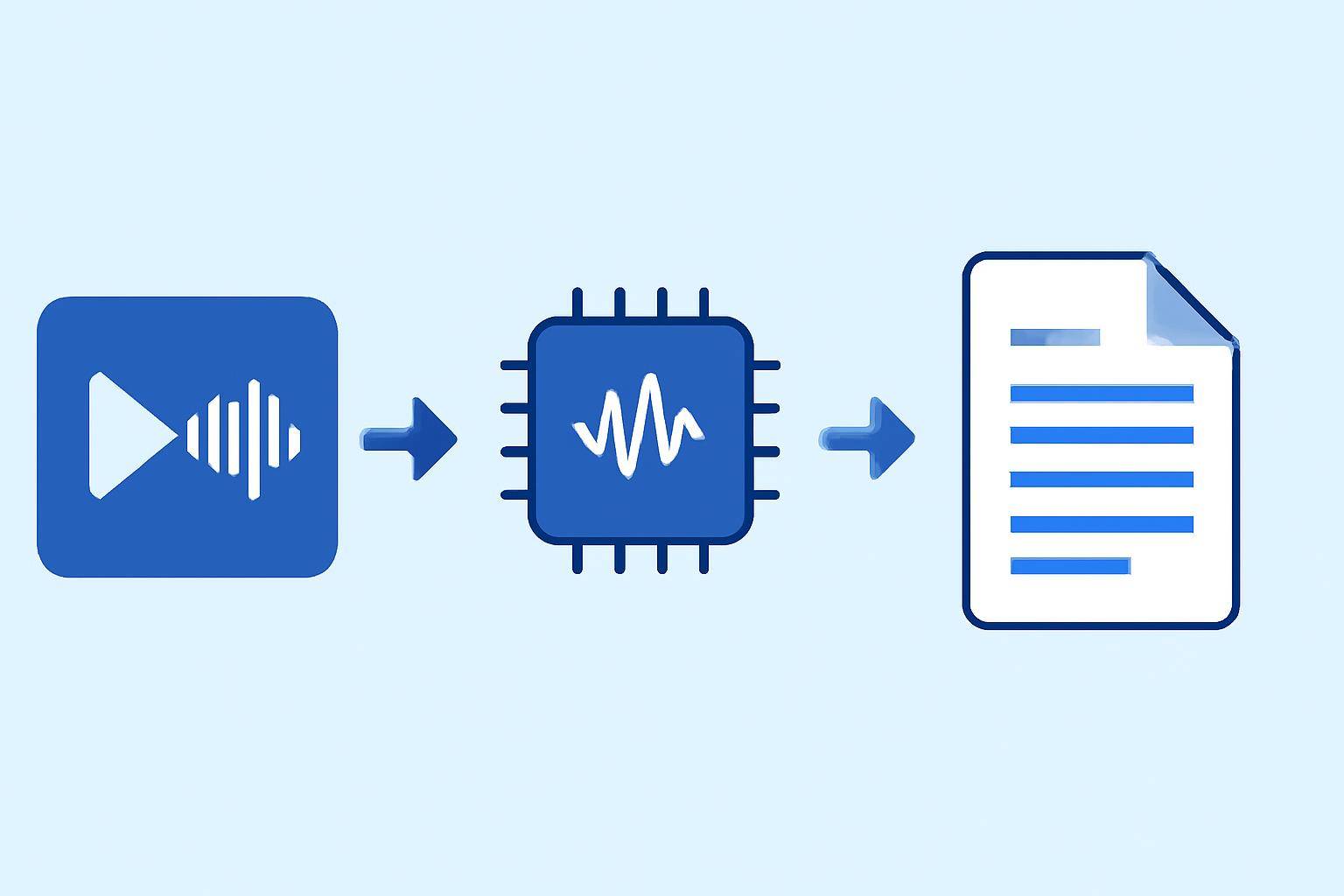
AI caption generators rely on a sophisticated workflow:
- Video Upload or URL Submission: Users upload a video file or paste a link (e.g., YouTube URL).
- Audio Extraction: The tool isolates audio tracks from the video.
- Speech Recognition: AI algorithms analyze the audio, converting speech to text.
- Text Segmentation: The transcript is divided into time-coded segments, forming captions.
- Formatting and Export: Captions are formatted (SRT, VTT, etc.) and available for download or embedding.
Some platforms, like AIVideoSummary’s process-video-url tool, simplify this even further—just paste a link and let the AI handle the rest.
Example: Captioning a YouTube Video
- Copy the video URL.
- Paste it into an AI caption generator like AIVideoSummary.
- Wait for the AI to transcribe and generate captions.
- Export SRT/VTT, or edit directly in the web app.
For a deeper look at this workflow and its applications, check out How to Transcribe Video to Text Using AI.
Key Features to Look For in an AI Caption Generator
Not all AI caption generators are created equal. Here are essential features to consider:
- Accuracy: High-quality speech recognition and punctuation handling
- Timestamp Precision: Accurate alignment between speech and captions
- Editable Output: Ability to review and edit captions before export
- Multi-language Support: Useful for international content or translation
- Export Formats: SRT, VTT, TXT, and more
- Speaker Identification: Labels for multiple speakers (when supported)
- Security: Secure handling of uploaded content
- API Access: For automating large-scale captioning workflows
For specialized needs, such as legal, medical, or educational transcription, dedicated features may be crucial.
Comparing AI Caption Generators
Below is a comparison of popular AI captioning tools, including AIVideoSummary:
| Feature | AIVideoSummary | YouTube Auto-Captions | Manual Transcription Tools | |--------------------------|----------------|----------------------|---------------------------| | AI Accuracy | High | Medium | N/A | | Editable Captions | Yes | Limited | Yes | | Supported Formats | SRT, VTT, TXT | SRT | SRT, VTT, TXT | | Speaker Detection | Yes | No | Sometimes | | Multi-language | Yes | Yes | Yes | | Batch Processing | Yes | No | Limited | | API Access | Yes | No | Sometimes | | Security | Encrypted | Variable | Variable |
For a full feature breakdown, visit AIVideoSummary features.
Step-by-Step: How to Create Captions from Any Video
Ready to generate captions? Here’s a practical walkthrough using an AI caption generator:
- Select Your Tool: Choose a platform like AIVideoSummary.
- Upload or Link Video: Upload a file or paste a video URL (e.g., YouTube, Zoom recording).
- Choose Language & Settings: Select the spoken language and any specialty options (e.g., speaker labels).
- Let AI Transcribe: Wait as the AI processes your video and generates captions.
- Review & Edit: Check the captions for errors, timing, or formatting issues. Edit as needed.
- Export Captions: Download captions in your desired format (SRT, VTT, TXT) or embed them into your video.
- Publish or Share: Use your captioned video on YouTube, your website, LMS, or social media.
Tip: Even with high AI accuracy, always review captions for names, jargon, or accents that may trip up the AI. For guidance, see AI Transcription Accuracy: What to Expect.

Practical Examples: Who Uses AI Caption Generators?
1. Content Creators & YouTubers
Automatically generate captions for faster uploads and broader reach. Example: A tutorial creator uploads videos weekly, using AI to quickly caption and publish, reaching non-native speakers and viewers who watch without sound.2. Educators & Students
Teachers caption recorded lectures for accessibility. Students use AI to transcribe class videos and extract notes (see The Ultimate Student Guide to AI Transcription and Notes).3. Businesses & Marketers
Caption webinars, product demos, and training content for compliance and SEO. Marketers create searchable video libraries with captions for internal use.4. Legal, Medical, and Compliance
Specialized AI models help professionals in legal, medical, or educational settings generate time-stamped, compliant transcripts and captions.Tips for Better Caption Quality
- Check for Proper Names and Jargon: AI may misinterpret unfamiliar words; review these carefully.
- Adjust Timing: Ensure captions appear and disappear in sync with speech. Some platforms auto-correct this.
- Use Speaker Labels: Where possible, add speaker names for clarity.
- Format for Accessibility: Follow captioning best practices, like line length and readable font.
- Export the Right Format: Use SRT for YouTube, VTT for web, or TXT for general transcripts.
Limitations of AI Caption Generators
While AI has revolutionized captioning, it's important to be aware of limitations:
- Not 100% Accurate: Background noise, heavy accents, or overlapping speech can reduce accuracy.
- Limited Context: AI may struggle with homonyms or context-specific terms.
- Speaker Identification: Multiple speakers may not always be labeled reliably.
- Unusual Languages/Dialects: Less common languages may have lower accuracy.
Manual review is always recommended, especially for professional or compliance-critical content.
Integrating AI Captions Into Your Workflow
- Automate with APIs: Batch process large video libraries or integrate with your content management system.
- Edit in the Cloud: Online editors let you tweak captions without downloading files.
- Combine with Video Summarization: Platforms like AIVideoSummary offer both captioning and AI-generated video summaries for searchable archives.
Try AIVideoSummary: Fast, Accurate Captions in Minutes
Generating captions shouldn’t be a chore. With AIVideoSummary, you can upload a video or paste a URL, let AI handle the transcription and captioning, and export your results in just a few clicks. Whether you’re captioning a single video or managing hundreds, the workflow is streamlined and secure. Try it now—no signup required for basic tasks.