How to Turn Recorded Meetings into Accurate Text with AI

Unlocking the Power of Meeting Transcription AI
Capturing the essence of a recorded meeting shouldn’t mean hours spent replaying audio or fumbling with manual notes. With meeting transcription AI, you can transform speech from video calls, webinars, or in-person recordings into accurate, searchable text in minutes. This not only saves time but also makes information accessible, shareable, and easy to reference.
If your goal is to convert meeting recordings into text, generate subtitles, or create concise summaries, AI-powered tools like AIVideoSummary can automate the process. Below, you'll learn how these solutions work, their benefits, practical steps to get started, and when human review is still essential.
---
Why Use AI for Meeting Transcription?
Manual transcription is slow, error-prone, and costly. AI transcription platforms leverage advanced speech recognition and natural language processing to quickly convert spoken content into text—often with impressive accuracy. Here’s what this enables for businesses and organizations:
- Fast turnaround: Get transcripts in minutes, not hours or days
- Affordability: Automated tools are significantly cheaper than professional human transcription
- Scalability: Process bulk video/audio files without extra effort
- Accessibility: Add captions or subtitles to make meetings inclusive
- Searchability: Instantly search for keywords or topics within your meeting archives
Learn more about the full range of features at AIVideoSummary Features.
How AI Meeting Transcription Works
Most modern meeting transcription AI platforms follow a streamlined process. Here’s a step-by-step overview:
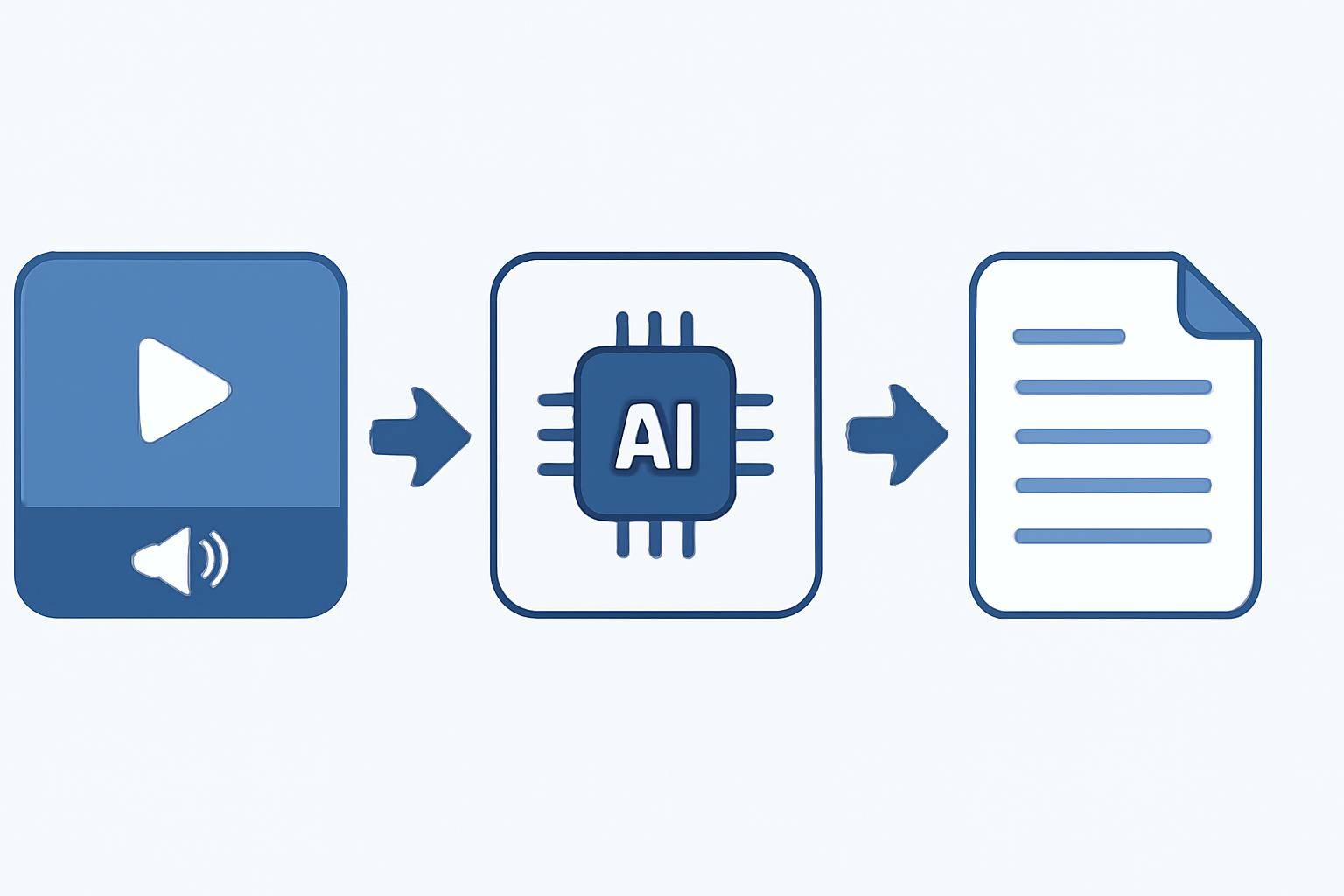
- Upload or Link Your Recording:
- AI Processes the File:
- Review and Edit (Optional):
- Export or Share:
Want to try it? Get started by processing a video URL or uploading your recording at AIVideoSummary.
AI vs. Manual Meeting Transcription: A Quick Comparison
| Feature | AI Transcription | Manual Transcription | |------------------------------|---------------------------------|-------------------------------| | Turnaround Time | Minutes | Several hours to days | | Cost | Low per hour | High per hour | | Accuracy | 85–95% (varies by audio) | 98%+ (with experienced human) | | Handles Multiple Speakers | Yes (may require corrections) | Yes | | Punctuation & Speaker Labels | Automatic (editable) | Manual | | Language Support | 30+ languages (platform dependent) | Usually limited | | Best For | Routine business meetings, bulk processing | Legal/medical, high-stakes content |
For more details on accuracy benchmarks, see AI Transcription Accuracy and AI Subtitle Accuracy.
Setting Expectations: Accuracy and AI Limitations
While AI-powered meeting transcription delivers impressive results, it’s important to understand where it excels—and where manual review may still be needed:
Strengths:
- Clear audio with minimal background noise
- Native or fluent speakers
- Well-mic’d participants
- Short to medium-length meetings
Challenges:
- Heavy accents or dialects
- Overlapping speakers
- Noisy environments
- Industry-specific jargon or uncommon names
AI rarely achieves 100% accuracy. If your recordings contain legal, medical, or highly confidential information, you may benefit from specialized services or a human review. Explore AIVideoSummary’s legal, medical, and education transcription options for these use cases.
Step-by-Step: Turning Recorded Meetings into Text with AIVideoSummary
Ready to transcribe your meetings? Here’s a practical workflow using AIVideoSummary:
1. Prepare Your Recording
- Ensure your audio is clear and background noise is minimized
- Use common formats like MP4, MP3, M4A, WAV, or link to a supported online source
2. Upload or Paste the Video URL
- Go to AIVideoSummary’s upload page for direct uploads or URL processing
- Drag and drop your file, or paste a video URL
3. Select Output Options
- Choose between full transcription, subtitles (with timestamps), or summary
- Pick your language and desired file format (TXT, SRT, DOCX, PDF)
4. Let AI Work
- The platform automatically detects speech, speakers, and inserts punctuation
- Processing time is usually less than the video’s duration
5. Review and Edit
- Proofread the transcript
- Fix any misheard names, terms, or formatting
- Optionally, edit timestamps for subtitles (Tips for perfect subtitles)
6. Download or Share
- Export your transcript, subtitle, or summary file
- Share with your team or import into your knowledge base

Practical Examples: Meeting Transcription AI in Action
AI transcription is applicable across many business and organizational needs. Here are typical real-world scenarios:
1. Team Meetings:
- Instantly produce meeting notes for distribution
- Highlight action items and decisions
- Search for specific topics from past discussions
2. Client Calls:
- Ensure accurate documentation of client requirements
- Share call transcripts with project managers
3. Webinars & Training Sessions:
- Create accessible written materials for attendees
- Offer searchable archives for future reference
4. Interviews & Research:
- Transcribe interviews for qualitative research
- Extract key insights without replaying recordings
5. Compliance & Documentation:
- Maintain records for legal or regulatory audits
- Support HR and legal teams with searchable transcripts
For student-specific workflows, see our Ultimate Student Guide to AI Transcription and Notes. Interested in summarizing YouTube lectures? Learn how with our AI video summary guide.
Tips to Maximize AI Transcription Accuracy
While AI tools do most of the heavy lifting, you can improve results by:
- Using quality microphones and quiet environments
- Speaking clearly—avoid talking over others
- Naming speakers clearly at the start
- Reviewing and correcting transcripts before final use
- Leveraging AI tools that support speaker separation and timestamped subtitles
Subtitles, Summaries & More: Beyond Basic Transcription
Meeting transcription AI doesn’t stop at plain text:
- Subtitles & Captions: Make your videos accessible for non-native speakers and those with hearing impairments
- Summaries: Auto-generate concise, readable meeting overviews—great for busy teams
- Searchable Archives: Store transcripts in a central location for instant retrieval
- Integration: Many platforms offer APIs or integrations with project management, CRM, and collaboration tools
To see these features in action, check out AIVideoSummary’s AI meeting summary and AI subtitle accuracy pages.
---
Frequently Asked Questions
How accurate is AI meeting transcription?
AI transcription can achieve 85–95% accuracy with clear audio and standard speech. Factors like background noise, accents, and overlapping speakers may reduce accuracy. Always review the output for critical use cases.
Can AI transcribe meetings with multiple speakers?
Yes, most meeting transcription AI platforms can separate speakers and label them. However, accuracy improves if speakers don’t talk over each other and announce their names at the start.
Is my data secure when using AI transcription tools?
Reputable AI transcription services use encryption and secure servers. Always check the platform’s privacy policy and choose services that comply with your organization’s requirements.
Can AI-generated transcripts be used for legal or medical records?
For sensitive or regulated content, AI can provide a draft, but human review is recommended. Consider specialized transcription services for legal or medical needs, such as AIVideoSummary’s legal or medical transcription.
What file formats can I export AI meeting transcripts to?
Most platforms support TXT, DOCX, SRT (for subtitles), and PDF. Choose the format that best fits your workflow or downstream applications.
Can I use AI transcription for educational content?
Absolutely. AI tools can transcribe lectures, seminars, and classroom discussions. For education-specific features, see AIVideoSummary’s education transcription.
How do AI-generated subtitles differ from manual subtitles?
AI-generated subtitles are faster and more affordable, but may need minor corrections for perfect timing or names. Manual subtitles offer higher accuracy, especially for complex content, but require more time and cost.
---
Conclusion: Streamline Meeting Documentation with AI
Meeting transcription AI isn’t just about saving time—it’s about unlocking the full value of your recorded meetings. From searchable archives to instant subtitles and summaries, these tools foster productivity and accessibility for teams of all sizes.
Curious to see how it works? Try AIVideoSummary now—simply upload your next meeting or paste a video URL to get started.