How to Transcribe Interviews Faster with AI: Step-by-Step Guide & Practical Tips

Why AI Is a Game-Changer for Interview Transcription
Transcribing interviews is essential for journalists, researchers, students, and professionals across many fields. Manual transcription is notoriously time-consuming, often taking four to six hours to transcribe a single hour of audio. AI-powered tools have transformed this process, letting you transcribe interviews with AI in a fraction of the time—while freeing you from tedious, repetitive tasks.
If your goal is to transcribe an interview quickly and efficiently, AI transcription platforms like AIVideoSummary provide a straightforward workflow: upload your recording, let the AI convert speech to text, and download the transcript for review or sharing. With automated timestamps, speaker identification, and subtitle generation, these tools can dramatically speed up your interview workflow while maintaining a high level of accuracy.
In this guide, you’ll learn exactly how to transcribe interviews with AI, when and why to use these tools, what to look out for, and how to optimize your workflow for the best results.
How AI Interview Transcription Works
What Is AI Transcription?
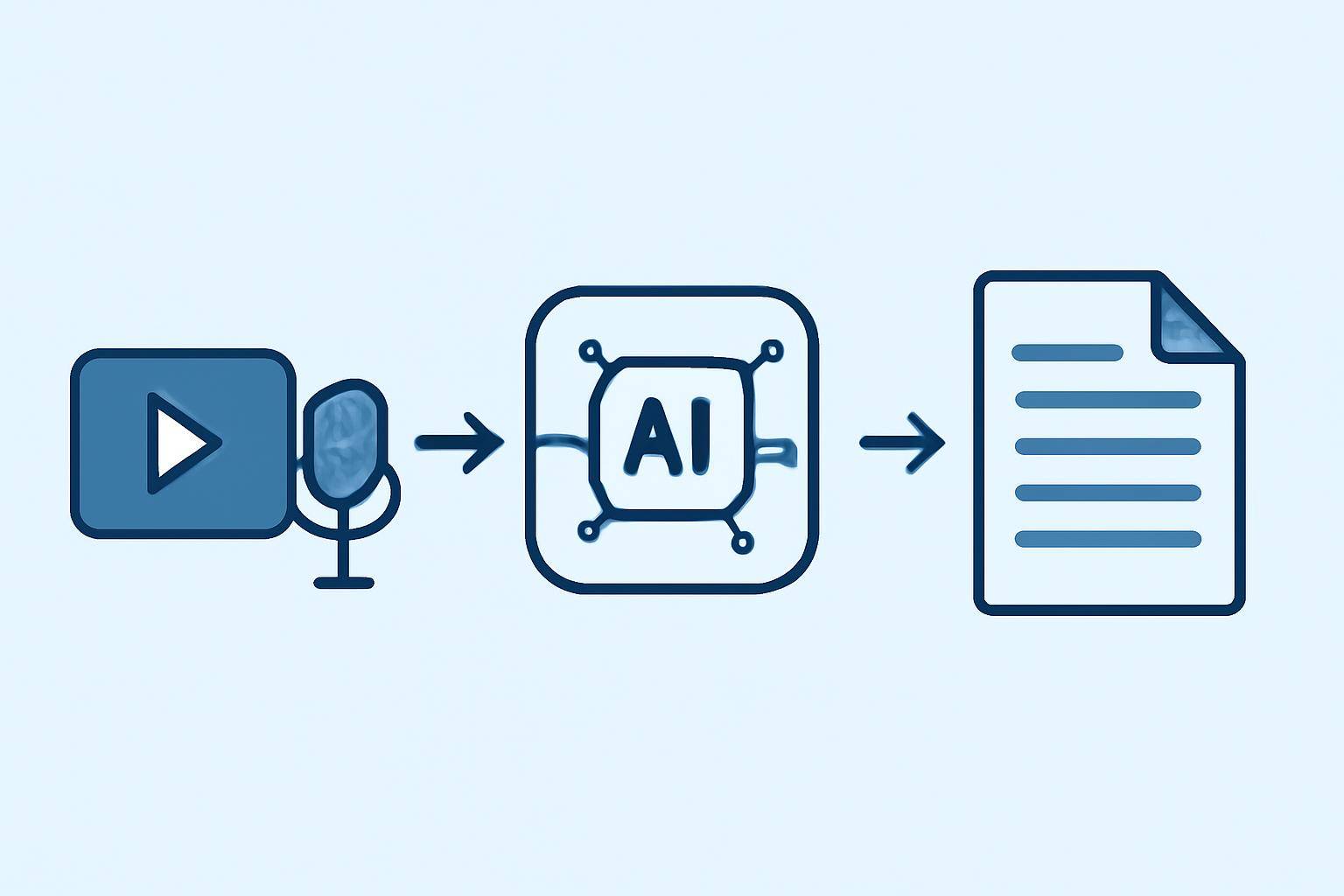
AI transcription leverages advanced speech recognition algorithms—often powered by deep learning—to convert spoken language in audio or video files into written text. The process includes:- Detecting and interpreting speech patterns
- Identifying different speakers (speaker diarization)
- Punctuating and formatting the transcript
- Optionally generating subtitles or summaries
The Step-by-Step AI Transcription Workflow
Here’s a typical workflow for transcribing interviews with AI:
- Prepare Your Interview Recording: Ensure your audio or video recording is clear and complete. Common formats (MP3, WAV, MP4, MOV) are widely supported.
- Upload or Paste Interview URL: Use a platform like AIVideoSummary to upload your file or paste a direct video URL (e.g., a YouTube interview).
- Select Transcription Options: Choose language, enable speaker separation, and opt for features like subtitle generation or summaries.
- AI Processes the File: The platform analyzes audio, transcribes speech, and identifies speakers. This usually takes a few minutes per hour of audio.
- Review & Edit the Transcript: Check the AI-generated text for accuracy. Make corrections as needed—especially for proper names, technical terms, or accents.
- Export, Share, or Summarize: Download the transcript, create subtitles, or use built-in summarization to distill the interview’s key points.
Why Speed Matters: The Benefits of AI for Interview Transcription
Speeding up interview transcription isn’t just about saving time. Here are some practical benefits:
- Faster turnaround for articles, reports, and research.
- Better accessibility: Share transcripts or subtitles for those with hearing impairments.
- Improved searchability: Instantly search for keywords or quotes within interviews.
- Effortless repurposing: Quickly create blog posts, summaries, or social media snippets from transcripts.
- Reduced burnout: Eliminate the most tedious part of the interview process.
For a deep dive into using video-to-text AI for content creation, see Transcribe Video to Text Using AI.
Comparing AI and Manual Transcription
| Feature | Manual Transcription | AI-Powered Transcription | |------------------------|----------------------------|----------------------------------| | Speed | 4-6x audio length | 0.5-1x audio length | | Cost | High (per hour fees/labor) | Low (per minute/flat fee) | | Accuracy | High (with skilled human) | High, but may need review | | Speaker ID | Manual tagging | Automatic (varies by tool) | | Timestamps | Manual insertion | Automatic | | Subtitle Generation| Separate process | Often built-in | | Summarization | Manual/slow | AI-powered, instant | | Editing | Manual, time-consuming | Quick in-app editor |
For more on AI accuracy, check AI Transcription Accuracy and AI Subtitle Accuracy.
Five Practical Ways to Transcribe Interviews with AI
1. Direct File Upload
Simply upload your MP3, WAV, MP4, or MOV interview file to a platform like AIVideoSummary. The AI will process the audio and provide a full transcript, often in minutes.2. Paste a Video URL
If your interview is hosted on YouTube or another platform, just paste the URL using the process video URL tool. Many AI tools can transcribe directly from online videos, saving you an extra download step.3. Generate Subtitles for Accessibility
Creating readable subtitles (closed captions) is often as simple as clicking a checkbox. Subtitles are not only helpful for accessibility but also boost engagement on social media and video platforms. Learn how to perfect subtitles (including timestamps) in How to Create Perfect Subtitles with Accurate Timestamps.4. Use Summarization for Key Takeaways
Some AI tools can generate short summaries of your interview, highlighting crucial topics or quotes. This is invaluable for journalists or researchers who need to quickly distill long conversations.5. Batch Processing for Multiple Interviews
If you have several interviews (e.g., for academic research or media projects), batch upload and processing can save hours. Some platforms allow you to manage, edit, and export multiple transcripts at once.
Practical Example: Automated Transcription in Action
Scenario: You’ve recorded a 45-minute Zoom interview for a research project.
How to Transcribe Interviews with AI:
- Export the Zoom recording as an MP4 file.
- Go to AIVideoSummary’s AI Transcription Service.
- Upload your MP4 file or paste the Zoom recording URL if hosted online.
- Choose language and enable speaker separation (useful if the interview has multiple participants).
- Click “Transcribe.” Wait for the AI to process the file (usually less than 10 minutes for 45 minutes of audio).
- Review the transcript. Edit for any minor errors (names, technical jargon).
- Export the transcript as a Word doc, PDF, or plain text file for analysis.
If you want to summarize the interview or generate subtitles, you can do so with a single click—ideal for sharing key insights with your team or audience.
For students, see The Ultimate Student Guide to AI Transcription Notes for tips on using AI for academic interviews and lectures.
Tips for Maximizing AI Transcription Accuracy
AI transcription is fast and convenient, but a little preparation improves results:
- Use quality recordings: Minimize background noise and echo. Place microphones close to speakers.
- Speak clearly: Encourage interviewees to speak one at a time.
- Upload files in supported formats: Most AI tools support MP3, WAV, MP4, MOV.
- Check for accents or technical jargon: AI may need help with strong accents or niche vocabulary. Review and edit as needed.
- Use speaker separation: For multi-person interviews, this helps attribute dialogue correctly.
- Review before publishing: Always double-check transcripts for errors, especially for names, dates, and specialized terms.
For more detail, see our AI Transcription Accuracy page.
Limitations of AI Interview Transcription
While AI tools save time, their accuracy can vary based on factors like audio quality, number of speakers, and background noise. AI may struggle with:
- Heavy accents or dialects
- Overlapping speech (interruptions)
- Poorly recorded audio
- Technical or domain-specific language
That’s why a quick review/edit step is always recommended. For legal, medical, or academic use cases where precision is critical, consider specialized services such as legal transcription, medical transcription, or education transcription.
How to Choose the Right AI Interview Transcription Tool
When selecting an AI transcription platform, look for these key features:
- Support for common audio/video formats
- Speaker separation and identification
- Subtitle and caption generation
- Summarization options
- In-app editing and export options
- Transparent pricing (see pricing)
Explore all features of AIVideoSummary, or try uploading a video or pasting a URL to get started.
Try AI Interview Transcription in Seconds
Ready to save hours on your next interview project? Test the process by uploading a file or pasting a video link at AIVideoSummary. No signup is required for a quick trial.
Conclusion: Supercharge Your Interview Workflow with AI
Transcribing interviews with AI isn’t just faster—it’s more efficient, flexible, and scalable. By automating repetitive tasks, you can focus on what really matters: analyzing, sharing, and acting on the insights from your interviews.
For related guides, see Summarize YouTube Videos with AI and Rewrite Blog Posts from Video Content. Ready to try it yourself? Start with a free upload or URL at AIVideoSummary.
---