How Students Can Turn Lecture Recordings into Study Notes with AI

Why Converting Lecture Recordings to Study Notes Matters
Sifting through hours of recorded lectures can be overwhelming — especially when exam deadlines are looming. Students often need more efficient ways to turn lecture recordings into actionable study materials. AI-powered video transcription and summarization tools are making this process not only possible but incredibly practical. By transforming lecture recording to study notes, students can save time, improve comprehension, and create searchable, organized resources for revision.
AI tools like AIVideoSummary allow you to upload a video or paste a video URL. The platform then generates accurate transcriptions, subtitles, and concise summaries, which can be easily turned into study notes. This guide walks through the process, highlights best practices, and explores the benefits and limitations of using AI for note-taking.
---
How AI Transforms Lecture Recordings into Study Notes
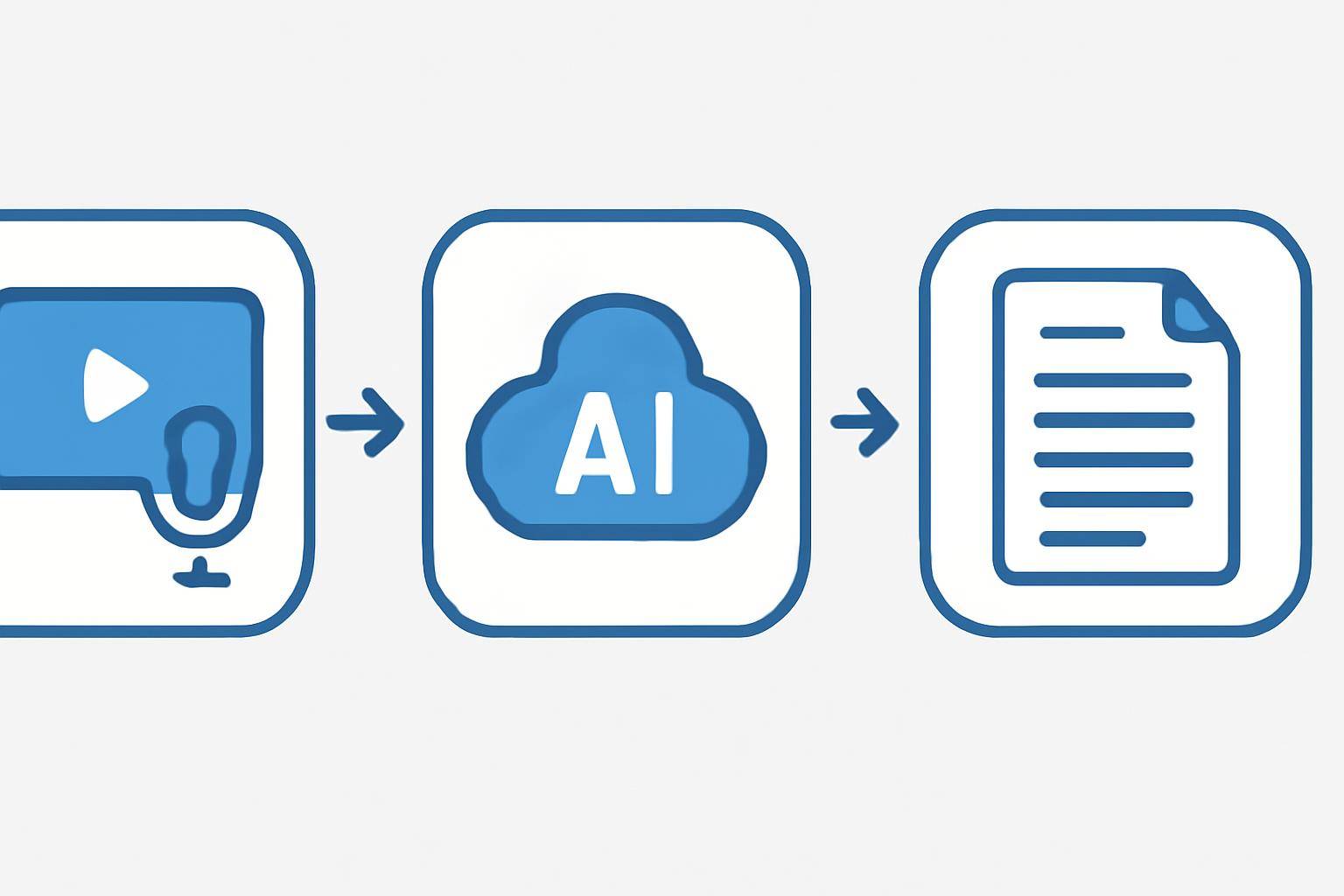
Automated transcription and summarization tools use advanced speech recognition and natural language processing models. Here’s how these tools streamline the workflow:
- Upload or Link the Video: You simply upload your lecture video or provide its URL.
- AI Transcribes Speech to Text: The software converts spoken words into written text.
- Subtitles and Segmentation: Transcription is timestamped, creating subtitles and breaking content into logical sections.
- Summarization: AI extracts key points and generates concise study notes from the full transcript.
Key Benefits for Students
- Saves Time: Automate hours of manual note-taking.
- Searchable Content: Easily find concepts or definitions within transcripts.
- Accessibility: Read or listen to content in your preferred format.
- Revision Ready: Quickly review summaries before exams.
Learn more about the AI transcription workflow and how it benefits education.
---
Step-by-Step: Turning Lecture Recordings into Study Notes with AI
Transforming a lecture video into usable notes can be done in minutes with modern AI tools. Here’s a practical workflow using AIVideoSummary:
1. Prepare Your Lecture Recording
- Ensure your video/audio file is clear and has minimal background noise.
- If you have a video link (e.g., from YouTube or your university portal), copy the URL.
2. Upload or Paste the Video URL
- Visit the AIVideoSummary upload page.
- Either upload your file or paste the lecture video URL.
3. AI Transcribes and Segments the Content
- The tool processes the video, creating a text transcript.
- Timestamps and speaker labels (if available) are added for clarity.
4. Generate Study Notes and Summaries
- Use built-in summarization features to extract key points.
- Edit or highlight important sections for personal study.
5. Download or Export Your Notes
- Export notes as plain text, PDF, or integrate with your favorite note-taking app.
- Review, revise, and add your own annotations.
For a deeper dive, check out the Ultimate Student Guide to AI Transcription and Notes.
#### Example Workflow
- Upload "Biology 102 - Cell Division" lecture video.
- Wait for AI to transcribe and summarize.
- Review generated notes:
- Highlight exam-relevant sections.
- Export to your digital notebook.
---
Comparing Manual vs. AI-Generated Study Notes
| Feature | Manual Note-Taking | AI-Generated Notes | |--------------------------|----------------------|---------------------------| | Speed | Slow | Fast (minutes) | | Accuracy | Depends on attention | Good, but may need edits | | Searchability | Limited (handwritten)| Full-text search | | Consistency | Varies | Consistent formatting | | Accessibility | Personal only | Easy to share/export | | Summaries Provided | No (unless written) | Automatic | | Requires Active Listening| Yes | No |
*Note: AI-generated notes may require review for context or to fix occasional transcription errors. Learn more about AI transcription accuracy.
---
Practical Use Cases for Students

Common Scenarios
- Missed a Class: Quickly catch up by reviewing AI-generated notes.
- Revision Sessions: Summarize multiple lectures for streamlined study guides.
- Group Study: Share transcribed notes for collaborative editing.
- Accessibility Needs: Students with hearing impairments benefit from text versions.
- Multilingual Students: Translate transcripts for better understanding.
For more on converting video speech to text, see this article.
Real-World Example
Sarah, a university student, uploads her recorded chemistry lecture to AIVideoSummary. In minutes, she receives a transcript and a concise summary of the lesson. She searches for "stoichiometry" in the transcript to find every mention, highlights key equations, and exports the notes to her revision app. Instead of replaying the whole lecture, Sarah focuses only on the tricky parts.
---
Tips for Getting the Best Results from AI Video Transcription
- Use High-Quality Recordings: Background noise and unclear audio reduce accuracy.
- Check for Speaker Labels: Some platforms can distinguish speakers, helpful in group discussions.
- Review and Edit: While AI is accurate, always proofread for subject-specific terms or errors.
- Segment Long Videos: Breaking lectures into shorter sections can improve results.
- Utilize Summarization Features: Take advantage of AI’s ability to condense content.
For more, see our guide on perfect subtitles and accurate timestamps.
AI Limitations to Be Aware Of
- Subject-Specific Jargon: Technical terms may be misinterpreted.
- Accents and Audio Quality: Strong accents or poor recordings can reduce transcription accuracy.
- Complex Diagrams or Visuals: AI transcribes speech, not visuals — supplement with your own notes.
- Summarization: AI may miss nuanced points; always double-check summaries for critical information.
Find out more about AI subtitle accuracy.
---
Advanced Features: Beyond Simple Transcription
AI platforms like AIVideoSummary now offer more than just transcription:
- Automated Summarization: Generate concise study guides.
- Keyword Extraction: Highlight frequently discussed topics.
- Custom Formatting: Export notes in various formats (Markdown, PDF, DOCX).
- Integration: Sync with note-taking tools like Notion or Evernote.
- Translation: Convert transcripts to other languages.
Explore all features on the AIVideoSummary features page.
---
How to Get Started
Ready to convert your lecture recording to study notes? Try AIVideoSummary in just a few clicks:
- Go to AIVideoSummary
- Upload your lecture file or paste the video URL.
- Let the AI handle transcription, summarization, and subtitles.
- Download your notes and start revising right away!
See pricing plans for students — affordable, with pay-as-you-go options.
---
Related Resources
- Summarize YouTube Video with AI
- AI Video Summary Service
- Education Transcription Services
- Rewrite Blog Post with AI
---
Frequently Asked Questions
FAQ
#### 1. How accurate are AI-generated lecture transcripts? AI transcription tools are usually highly accurate with clear audio and standard speech but may make mistakes with technical jargon, heavy accents, or poor-quality recordings. It's best to review and edit important sections.
#### 2. Can AI summarize lectures into concise notes automatically? Yes, many AI tools can generate summaries and extract key points, but always review the output to ensure nothing important is missed.
#### 3. Is it possible to use the service with YouTube or online lecture links? Absolutely! Services like AIVideoSummary allow you to paste a YouTube or direct video URL for transcription and summarization.
#### 4. Are AI-generated notes suitable for all subjects? They work best for lectures with clear audio and spoken information. Highly visual subjects (e.g., art, math with blackboard diagrams) may require supplemental manual notes.
#### 5. Is my data secure when uploading lecture recordings? Reputable platforms use secure processing and delete files after use. Always check the privacy policy of the service you choose.
#### 6. Can I export AI-generated notes to my favorite study apps? Most modern AI transcription tools offer export options to PDF, DOCX, Markdown, and integrations with popular note-taking apps.
#### 7. How much does it cost to use AI video transcription tools? Pricing varies by provider. AIVideoSummary, for example, offers student-friendly and pay-as-you-go plans. See pricing for details.
---
Converting lecture recordings to study notes with AI can dramatically improve your study efficiency and help you get more from every class. Try it for your next lecture with AIVideoSummary, and turn hours of video into actionable, organized notes in minutes.