How to Create Multilingual Subtitles from a Video Using AI

Create Multilingual Subtitles from a Video Using AI
Adding multilingual subtitles to your videos is essential for reaching global audiences, improving accessibility, and maximizing engagement. Traditionally, creating accurate subtitles in multiple languages was time-consuming and expensive, often requiring manual transcription and professional translation. Now, with advances in AI, generating multilingual subtitles is achievable in just a few steps—even for creators without technical expertise.
AI-powered tools like AIVideoSummary streamline the process by automatically transcribing speech, translating transcripts, and generating time-synced subtitles in various languages. In this article, you'll learn how to create multilingual subtitles from any video using AI, what to expect in terms of accuracy, and tips for optimizing your workflow.
Why Multilingual Subtitles Matter
- Expand Your Audience: Make content accessible to non-native speakers and viewers with hearing impairments.
- Boost SEO: Indexed subtitles can improve your video's discoverability in search engines.
- Increase Engagement: Multilingual subtitles lead to higher watch times and better comprehension.
- Legal Compliance: In some industries and regions, accessible video content is required by law.
---
How AI Generates Multilingual Subtitles
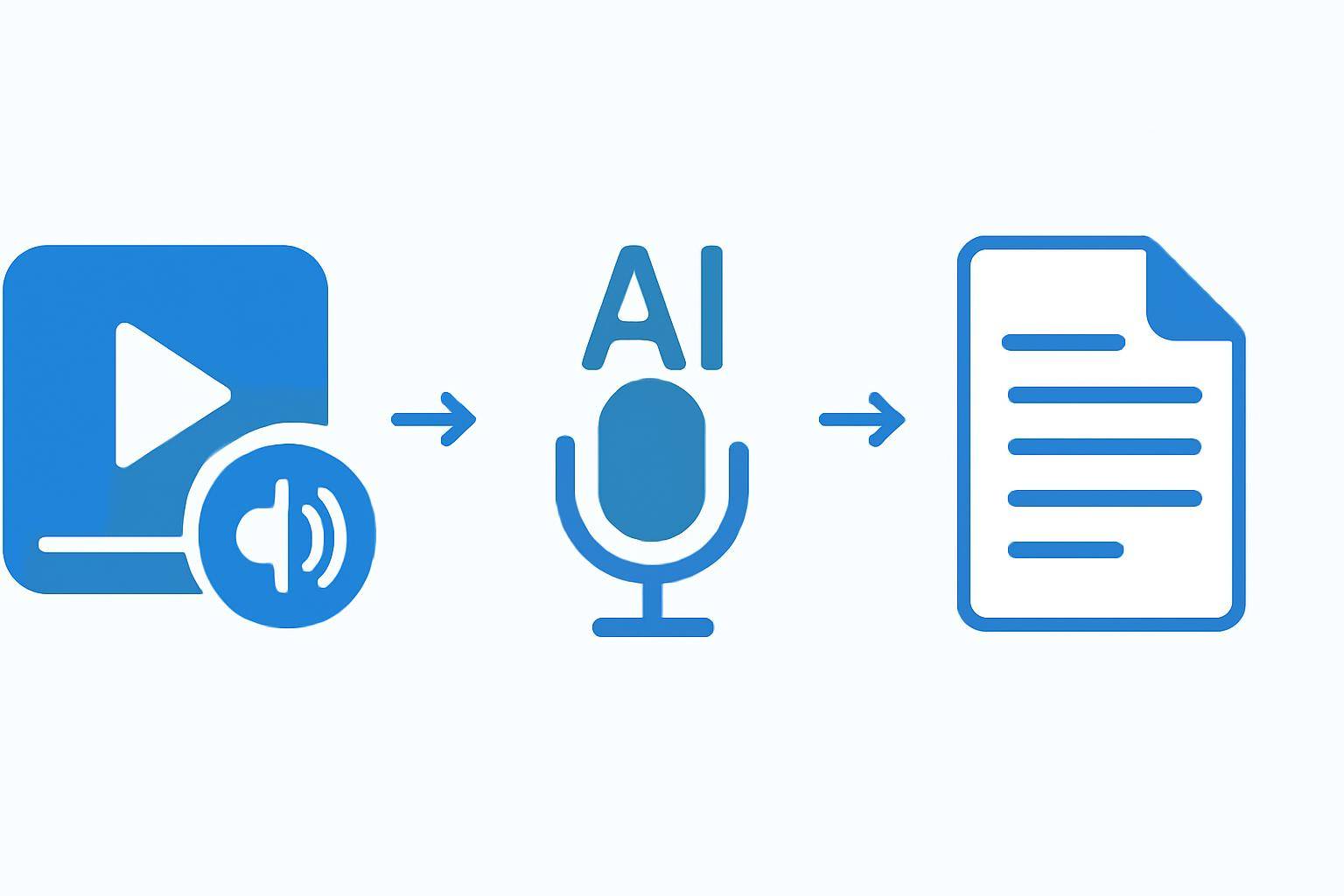
Modern AI subtitle generators combine speech recognition, natural language processing, and neural machine translation to automate the entire subtitle workflow.
- Speech-to-Text (Transcription): AI listens to the video audio and converts spoken words into an editable transcript.
- Translation: The transcript is automatically translated into one or more target languages by AI.
- Subtitle Formatting: AI syncs the translated text to the video’s timeline, creating properly timed subtitle files (e.g., SRT, VTT).
- Review & Edit: Users can review, edit, and export subtitles for use on platforms like YouTube, Vimeo, or LMS systems.
What Makes AI Subtitle Generation Different?
- Speed: Full-length videos can be transcribed and translated within minutes.
- Scalability: Process dozens or hundreds of videos simultaneously.
- Affordability: Automated tools are typically much more cost-effective than manual services.
- Customization: Many platforms allow users to select languages, review translations, and adjust timing.
If you want to try this process yourself, AIVideoSummary’s AI subtitle generator lets you upload a video or simply paste a video URL for instant processing.
---
Step-by-Step: Creating Multilingual Subtitles with AI
Here’s a practical workflow using AIVideoSummary as an example (the process is similar with other AI subtitle services):
1. Prepare Your Video
- Ensure your video’s audio is clear and free from excessive background noise for best results.
- If working with online video, copy the public URL (e.g., YouTube, Vimeo).
2. Upload or Paste Video URL
- Go to the AIVideoSummary process page and either upload your video file or paste the video URL.
3. Select Source and Target Languages
- Choose the language spoken in the video (source).
- Select one or more target languages for subtitle translation.
4. Start AI Transcription and Translation
- Click to start processing. The AI will transcribe the audio and generate time-coded subtitles for each selected language.
5. Review, Edit, and Download Subtitles
- Review the AI-generated subtitles for each language.
- Make manual adjustments if needed—especially for technical terms or idioms.
- Download subtitle files in popular formats (SRT, VTT, TXT) for uploading to your video platform.
6. (Optional) Embed Subtitles or Burn-In
- Some platforms allow you to automatically embed subtitles into the video (known as "burning in").
- Alternatively, upload the subtitle files directly to platforms like YouTube, which auto-sync them with your video.
Tip: For best results, always review AI-generated subtitles—especially for content with heavy accents, cross-talk, or industry jargon. Learn more about subtitle accuracy in our AI subtitle accuracy guide.
---
Comparison: AI Subtitle Tools vs. Manual Methods
| Feature | AI Subtitle Tools | Manual Subtitle Creation | |-------------------------------|----------------------------|--------------------------| | Speed | Minutes per video | Hours to days | | Cost | Low per video | High (per hour of labor) | | Supported Languages | 50+ | Limited by translator | | Scalability | Process many videos at once| Slow, one-by-one | | Accuracy (after review) | High (varies by audio) | Very high | | Human Editing Required | Sometimes | Always |
AI subtitle tools like AIVideoSummary offer fast, affordable, and scalable solutions for most creators. Manual methods may still be preferable for highly sensitive legal, medical, or creative content—where every nuance matters. For specialized industries, check out our legal transcription, medical transcription, and education transcription services.
---
Practical Example: Translating a YouTube Video with AI
Imagine you have a 10-minute English-language YouTube tutorial and want to add Spanish and French subtitles:
- Copy the YouTube URL.
- Paste it into AIVideoSummary’s process tool.
- Select English as the source language; choose Spanish and French as targets.
- Start processing. In a few minutes, you’ll see editable Spanish and French subtitles, time-coded to your video.
- Review the output. Tweak any phrases that don’t match your industry’s terminology.
- Download the SRT files and upload them to your YouTube video via YouTube Studio.

For a detailed walkthrough on transcribing videos to text, see our step-by-step AI video transcription guide.
---
Tips for Maximizing Subtitle Accuracy with AI
- Use High-Quality Audio: Clear recordings reduce errors in speech recognition.
- Add Punctuation: AI can struggle with ambiguous phrasing; manual review helps.
- Double-Check Names/Brands: Unique names and technical terms may need correction.
- Test Multiple Languages: Some languages have better AI support; review translations closely.
- Use AI as a First Draft: Human review ensures the best possible accuracy.
For more on achieving perfect subtitles and accurate timestamps, read this guide.
---
Use Cases for Multilingual AI Subtitles
- Education: Make lectures and tutorials accessible to global students.
- Marketing: Reach new markets by localizing product videos and ads.
- Corporate Training: Standardize training content for international teams.
- Legal & Medical: Support compliance and accessibility in regulated industries.
- Content Creators: Grow your channel’s reach by adding subtitles in popular languages.
---
Limitations and Considerations
While AI subtitle tools are powerful, they are not infallible. Here are some limits to be aware of:
- Accent and Dialect Sensitivity: Strong accents or regional dialects may reduce accuracy.
- Crosstalk and Overlapping Speech: AI can struggle with multiple people speaking at once.
- Idiomatic Expressions: Translated subtitles may sound unnatural—manual editing helps.
- Confidentiality: For sensitive content, ensure your chosen platform takes privacy seriously.
- Language Support: Not all languages are equally supported; some translations may be better than others.
For more on AI transcription accuracy, see our detailed post.
---
How to Choose the Right AI Subtitle Tool
When selecting an AI subtitle generator, consider:
- Supported Languages: Does it cover the languages you need?
- Ease of Use: Is the interface intuitive?
- Editing Tools: Can you easily review and correct subtitles?
- Export Formats: Are SRT, VTT, or TXT supported?
- Security: Is your video data handled securely?
- Pricing: Does the cost fit your budget? See AIVideoSummary pricing for transparent rates.
---
Try Multilingual Subtitles with AIVideoSummary
Ready to make your videos accessible worldwide? Try AIVideoSummary now:
- Upload your video or paste a link
- Select your languages
- Download subtitles in minutes
You can also explore the full features to see how AI can summarize, transcribe, and add subtitles to your content.
---
FAQ: Multilingual Subtitles with AI
Frequently Asked Questions
#### 1. How accurate are AI-generated multilingual subtitles? AI-generated subtitles are typically very accurate for clear, well-recorded audio in major languages. However, accuracy may decrease with heavy accents, overlapping speech, or niche terminology. It's always best to review and edit subtitles before publishing. For more details, see our subtitle accuracy guide.
#### 2. What languages can AI subtitle tools support? Most modern AI subtitle tools support 50+ languages, including global standards like Spanish, French, German, Mandarin, and Arabic. Check the tool’s documentation to confirm your required languages are supported.
#### 3. Can I edit the AI-generated subtitles before publishing? Yes, reputable AI subtitle generators provide editing interfaces for reviewing and correcting transcripts and translations before export.
#### 4. How do I add subtitles to my YouTube video? After generating and downloading SRT files, upload them using YouTube Studio’s subtitle/caption feature. The subtitles will sync automatically based on timestamps.
#### 5. Is AI subtitle generation secure for confidential videos? Choose a platform with strong privacy and data security policies. For highly sensitive content, consider offline processing or check the provider’s confidentiality guarantees.
#### 6. Are AI-generated subtitles suitable for legal, medical, or technical content? AI can handle many technical terms, but manual review is crucial for regulated or sensitive fields. Consider specialized services for legal or medical transcription.
#### 7. How much does it cost to generate multilingual subtitles with AI? Pricing varies by platform, video length, and number of languages. AI-based solutions like AIVideoSummary are generally much more affordable than manual services.