How to Turn One Video into Multiple Pieces of Content with AI

Why Repurpose Video Content with AI?
A single video can be a goldmine for creating a wide range of content formats—blog posts, social media snippets, email newsletters, SEO-optimized articles, and more. But extracting all that value manually is time-consuming and often expensive. AI-powered tools now make it possible to take one video and rapidly generate multiple content pieces, all while maintaining accuracy and context.
If you’re searching for how to turn one video into multiple content pieces, the answer lies in leveraging AI for transcription, subtitle generation, intelligent summarization, and content rewriting. This approach saves hours of manual work, lets you reach wider audiences, and ensures your message is accessible across platforms.
With just a few clicks, platforms like AIVideoSummary can transcribe spoken words, create accurate subtitles, summarize key points, and even suggest blog post drafts—all from a single video upload or URL paste. Let’s dive into exactly how this process works and how you can apply it to your workflow.
The Workflow: From One Video to Many Content Pieces
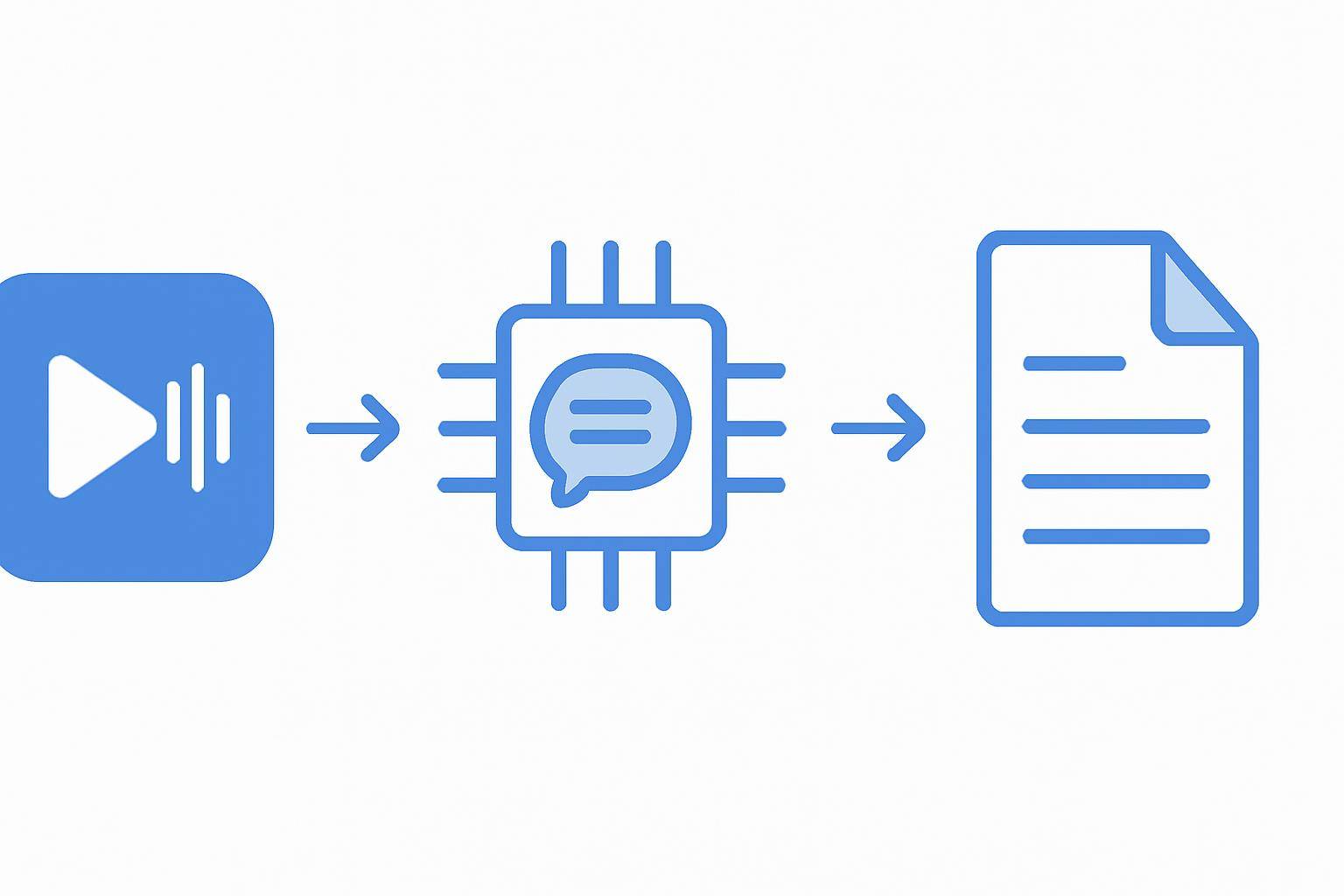
AI video processing tools streamline the content repurposing workflow. Here’s an overview:
- Upload or paste your video URL to an AI-powered platform.
- Transcribe the audio to text with high accuracy.
- Generate subtitles/captions automatically.
- Summarize the video, creating digestible overviews.
- Rewrite or expand content into blogs, newsletters, or social posts.
- Export or copy your new content pieces for publishing or further editing.
Example: Turning a 15-Minute Webinar into 7 Pieces of Content
- Full transcript (for blog or SEO)
- Subtitled video (for YouTube/Instagram)
- 5 key-point summary (for LinkedIn)
- Quote snippets (for Twitter/X)
- Email newsletter blurb
- FAQ section (based on real content)
- Searchable documentation (for internal knowledge base)
Step-by-Step: Turning One Video into Multiple Content Pieces
1. Upload or Paste Video URL
Most modern AI tools let you either upload a video file or simply paste a link (such as a YouTube URL). For example, AIVideoSummary’s process page guides you through uploading or linking your video, making it accessible for processing.
2. AI Video Transcription
AI transcription converts spoken words into readable text. This text can be:
- Used directly as a blog post draft
- Edited for SEO and readability
- Searched for specific topics, timestamps, or speakers
For more details on AI transcription accuracy and use cases, see AI Video Transcription Accuracy and Transcribe Video to Text Using AI.
3. Subtitle and Caption Generation
With a transcript in hand, AI can auto-generate subtitles or captions with accurate timestamps. This improves accessibility, aids non-native speakers, and boosts watch time on platforms like YouTube or LinkedIn.
- Subtitles can be exported as SRT, VTT, or burned into the video
- Captions make videos more discoverable via search
- See Perfect Subtitles with Accurate Timestamps for tips
4. AI-Based Summarization
Not everyone has time to watch a full video. AI summarizers condense the main points, making content skimmable and shareable.
- Useful for blog intros, executive summaries, or social posts
- Helps turn long videos into short, impactful content
- Read Summarize YouTube Video with AI for practical ideas
5. Content Rewriting and Expansion
AI can take transcripts or summaries and rewrite them as:
- Blog articles
- Social media threads
- Email newsletters
- FAQs and knowledge base entries
For more on transforming transcripts into polished content, check out Rewrite Blog Post with AI.
6. Export and Publish
Most platforms allow you to export text, subtitle files, or share links instantly. You can:
- Publish blog posts on your site
- Share snippets on Twitter, LinkedIn, or Instagram
- Add subtitles to your YouTube videos
- Update your internal documentation
Comparison Table: Manual vs. AI-Powered Video Repurposing
| Feature | Manual Workflow | AI-Powered Workflow (e.g., AIVideoSummary) | |-------------------------|-------------------|--------------------------------------------| | Time to Transcribe | Hours | Minutes | | Subtitle Generation | Manual syncing | Automated with timestamps | | Summarization | Manual drafting | AI-generated overviews | | Editing Required | High | Moderate | | Accessibility | Depends on effort | Built-in subtitle & transcript support | | Language Support | Limited | Multilingual (varies by tool) | | Cost | High (labor) | Lower (subscription or pay-per-use) |
Practical Example: Repurposing a Product Demo Video
Imagine you’ve recorded a 10-minute product demo. Here’s how you could break it down:
- Transcript for Blog: AI transcribes the full video, which you lightly edit for clarity and SEO.
- Short Highlights Reel: Use AI to identify and extract the most compelling 60 seconds, with auto-generated captions for social media.
- FAQ Creation: Pull common questions and answers from the transcript.
- Newsletter Content: Summarize key benefits or new features for your email list.
- Documentation Update: Use the transcript for product help docs or onboarding materials.

Internal Links for Deeper Exploration
- AIVideoSummary Features — See what’s possible with AI video transcription and summarization
- AI Video Summary Service — Learn how summaries work and best practices
- Transcribe Video to Text Using AI — In-depth guide on AI transcription benefits and workflow
Benefits of Using AI for Video Content Repurposing
- Speed and Efficiency: Go from video to multiple content formats in minutes, not days.
- Consistency: Maintain brand voice and key messages across channels.
- Accessibility: Make your content available to wider audiences, including those with hearing impairments or language differences.
- SEO Advantages: Search engines can index transcripts and subtitles, boosting discoverability.
- Cost Savings: Drastically reduce manual labor and third-party transcription costs.
Limitations and Considerations
While AI tools are powerful, they’re not perfect:
- Accuracy can vary based on audio quality, accents, and technical jargon. Light editing is often needed.
- Speaker identification may not always be reliable without manual supervision.
- Contextual understanding: AI sometimes misses subtle context or humor.
- Privacy and security: Sensitive videos should be handled on secure, reputable platforms.
For highly specialized needs (like medical or legal transcription), consider dedicated services such as AI Legal Transcription or AI Medical Transcription.
How to Get Started: Try AI Video Summary Tools
Ready to turn one video into multiple content pieces? Getting started is simple:
- Go to AIVideoSummary.
- Upload your video file or paste a URL (try it now).
- Select your desired outputs—transcript, subtitles, summary, or blog rewrite.
- Download or copy your new content formats.
Tip: For students and educators, AI Education Transcription Services are also available.
Frequently Asked Questions (FAQ)
What kind of videos work best for AI-powered content repurposing?
Almost any spoken-word video, such as webinars, interviews, product demos, courses, or podcasts. Clean audio improves transcription accuracy.
How accurate are AI-generated transcripts and subtitles?
Accuracy is generally high (often 85–95%) but depends on audio quality, accents, and background noise. Always proofread and edit for best results. See AI Transcription Accuracy for more details.
Can I use AI to repurpose videos in languages other than English?
Many AI platforms offer multilingual support, but results vary by language and dialect. Review outputs for accuracy before publishing.
Is it safe to upload sensitive or confidential videos to AI platforms?
Choose reputable platforms with robust privacy and security policies. For sensitive content, use specialized services or on-premises solutions.
How does AI video summarization work?
AI analyzes the transcript to identify main ideas, key points, and important timestamps, then generates a concise summary. Some context or nuance may be missed, so human review is helpful for critical content.
Can I turn AI transcripts into polished blog posts?
Yes! Many tools (including AIVideoSummary) offer rewriting features that help transform rough transcripts into well-structured, readable articles.
What’s the cost difference between manual and AI-powered repurposing?
Manual transcription and editing are labor-intensive and expensive. AI platforms typically charge via subscription or per-minute rates, making them far more cost-effective for frequent use. See AIVideoSummary Pricing for details.