How to Repurpose Video Content into Blogs, Notes, and Social Posts
Why Repurpose Video Content?
Every video you create—whether it’s a webinar, podcast, tutorial, or recorded meeting—can become a goldmine for your content strategy. Repurposing video content means taking the insights, knowledge, and stories from your videos and transforming them into fresh blogs, structured notes, and engaging social posts. This approach helps you reach new audiences, improve your website’s SEO, and maximize the value of each video asset.
If you’re looking for actionable ways to repurpose video content, this guide will show you step-by-step how to extract transcription, generate summaries, and create multiple formats with the help of AI tools like AIVideoSummary. You’ll learn practical workflows, best practices, and how to avoid manual rewatching or rewriting—saving hours on content creation.
What Does It Mean to Repurpose Video Content?
Repurposing video content is the process of converting video material into other forms of content to extend its reach and usefulness. Common repurposing methods include:
- Transcribing video to text for blogs or articles
- Creating concise meeting notes or study guides
- Generating social media posts and quote cards
- Adding subtitles for accessibility and SEO
- Producing highlight reels or short video snippets
Instead of starting from scratch each time, you build a system that multiplies your content output and ensures no valuable idea gets buried in a video archive.
---
How to Repurpose Video Content: Step-by-Step Workflow
1. Select Your Source Video
Begin with a video that contains valuable information or insights—such as a webinar, online class, product demo, or team meeting. The clearer the audio, the better your results.
2. Transcribe the Video (with AI Tools)
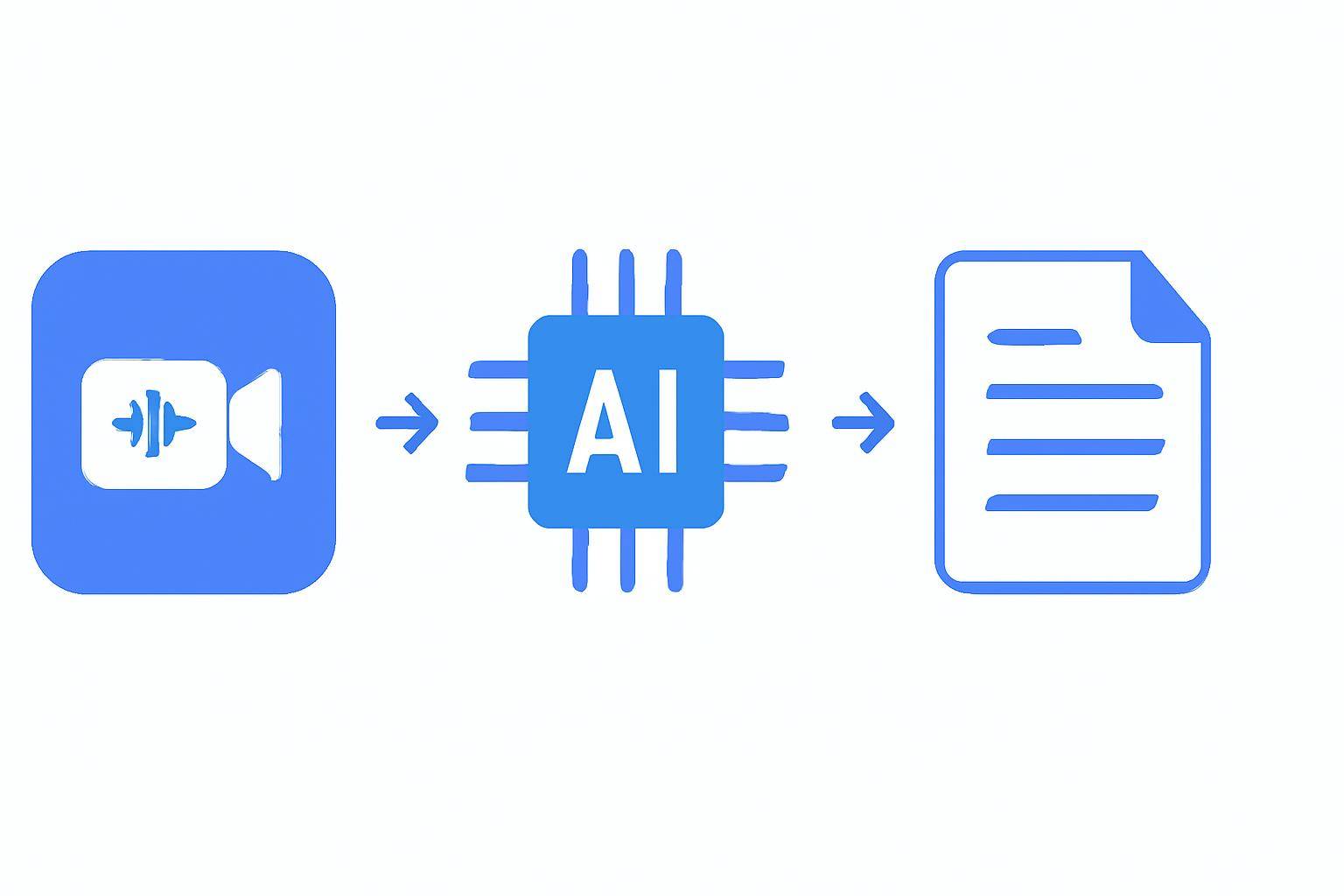
Manual transcription is tedious and time-consuming. AI-powered platforms like AIVideoSummary let you automatically transcribe the speech in your video files or YouTube links. Here’s a simplified process:
- Upload the video file or paste the video URL.
- Let the AI generate a transcript (usually within minutes).
- Download or edit the resulting text for accuracy.
For more details, see Transcribe Video to Text Using AI: Step-by-Step Guide.
3. Edit and Clean Up the Transcript
AI transcription is fast, but always review for accuracy, especially if there are multiple speakers, accents, or industry jargon. Make sure:
- Speaker names are labeled correctly
- Unnecessary filler words are removed
- Time-stamps are added if needed (useful for referencing)
Learn more about AI transcription accuracy and tips for perfecting transcripts.
4. Summarize or Outline the Core Ideas
With a clean transcript, you can:
- Generate a summary using AI summarization tools
- Extract main points to create bullet lists or structured notes
- Highlight action items, key quotes, or statistics
Try the AI video summary feature to automatically condense long transcripts into readable, shareable summaries.
5. Repurpose Into Desired Formats
#### Blogs & Articles
- Use the transcript as a draft
- Organize into sections or Q&A format
- Add headings, images, and internal links
#### Meeting Notes or Study Guides
- Focus on action items, decisions, and follow-ups
- Create bullet points and checklists
- Use AI-powered note generators for efficiency (see Ultimate Student Guide: AI Transcription Notes)
#### Social Media Posts
- Pull compelling quotes or insights
- Summarize tips into bite-sized posts
- Pair with visual snippets or designed quote cards
#### Subtitles & Captions
- Import the transcript into a subtitle tool
- Sync text with video for accessibility and engagement
- Learn how to create perfect subtitles with accurate timestamps
---
Practical Example: Turning a Webinar Into Multiple Content Assets
Let’s say you hosted a 45-minute product demo webinar. Here’s how you can break it down:
- Full Blog Post: Use the transcript as the backbone. Add an introduction, summary, and images.
- FAQ Section: Address common questions asked during the webinar.
- Short Social Posts: Turn key insights or quotes into LinkedIn or Twitter updates.
- Email Newsletter: Summarize the main points with a call-to-action.
- SEO-Optimized Summary: Create a 150-300 word video recap for your website.
- Subtitles: Add accessible captions to the video for YouTube or your website.
Tip: If you’re in education, legal, or healthcare, check out AI transcription services for specialized fields such as legal transcription, medical transcription, or education transcription.
---
Comparison Table: Manual vs. AI-Powered Repurposing
| Feature | Manual Process | AI-Powered (AIVideoSummary) | |---------------------------|-----------------------|------------------------------------| | Time Spent | 2-6 hours per video | 10-30 minutes per video | | Accuracy | Depends on skill | High, but always review | | Editing Required | Extensive | Light to moderate | | Subtitle Generation | Manual syncing | Automatic, with editing tools | | Summarization | Manual rewatching | 1-click AI summary | | Cost | High (outsourcing) | Lower, pay-as-you-go or plans | | Scalability | Limited | Easily scales for multiple videos |
Want to try this workflow? Upload your video or paste a URL here to get started.
---
Best Practices for Repurposing Video Content
- Start with High-Quality Audio: Clear speech ensures better AI transcription.
- Batch Process Videos: Upload multiple videos to save time.
- Customize Summaries: Adjust AI-generated summaries to match your brand tone.
- Use Internal Links: Connect repurposed blogs to related articles, features, or pricing pages (e.g., see all features or compare plans).
- Review for Context: AI may miss context or nuances—always review before publishing.
- Keep Accessibility in Mind: Add subtitles and make transcripts available for all audiences (see AI subtitle accuracy).
Common Pitfalls to Avoid
- Relying solely on AI without human review
- Forgetting to format text for readability
- Overlooking copyright or privacy issues in video content
- Neglecting to link back to your original video or website
---
When Is Repurposing Most Valuable?
Repurposing is especially effective for:
- Webinars and panel discussions
- Podcasts and interviews
- Online courses and lectures
- Customer testimonials
- Internal meetings
It’s less useful for videos with little speech (e.g., music-only clips) or where visuals are the main message.
---
Limitations and Things to Watch Out For
While AI video transcription and summarization are impressively accurate, they are not flawless. Here’s what you should know:
- Accents, background noise, and crosstalk can reduce accuracy
- Technical or industry-specific terms may need manual correction
- Speaker identification may not always be perfect
- Summaries can sometimes miss subtle context or humor
For best results, always review and edit the output—AI is a powerful assistant, but not a perfect replacement for human judgment.
---
How to Get Started (and Try AIVideoSummary)
You can start repurposing your video content in minutes:
- Go to AIVideoSummary’s upload page.
- Upload your video file or paste a public video link (YouTube, Vimeo, etc.).
- Review the automatic transcript and summary.
- Export your content as text, subtitles, or summarized notes.
No credit card required to try basic features. For more advanced use cases, explore the AI Video Summary and Rewrite Blog Post tools.
For pricing and subscription options, visit the AIVideoSummary pricing page.
---
Frequently Asked Questions About Repurposing Video Content
1. How accurate are AI video transcriptions?
Accuracy is generally high, especially with clear audio. However, strong accents, technical jargon, or overlapping speakers can affect results. Always review and edit the transcript before publishing. Learn more about AI transcription accuracy.2. What types of videos are best for repurposing?
Any video with valuable spoken content—webinars, podcasts, interviews, lectures, product demos, and internal meetings—are ideal. Music-only videos or those with poor audio are less suitable.3. Can I use AI-generated transcripts for subtitles or captions?
Yes, you can use AI transcripts to generate accurate subtitles. Be sure to check the timing and formatting. See our guide on perfect subtitles with accurate timestamps.4. Are there privacy concerns when uploading videos for transcription?
Always ensure you have the rights to process the video. For sensitive or confidential content, check the AI provider’s privacy policy and data handling procedures.5. How can repurposing help with SEO?
Publishing transcripts, summaries, and blog posts from your videos improves keyword coverage, increases site content, and helps your videos become discoverable in search engines.6. Do I need technical skills to repurpose video content with AI?
No. Most tools offer intuitive interfaces. Simply upload your video, review the output, and export in your preferred format.---
Ready to unlock more value from every video you create? Try AIVideoSummary now to turn your videos into blogs, notes, and social media content in minutes.